
Month-end close automation is the practice of using integrated systems and AI to perform repetitive closing tasks rapidly and accurately, replacing manual bottlenecks with a continuous, controlled process. Finance teams that adopt financial close automation reduce total close cycle time by 50–70%, cutting a 10-day manual close to as few as 3 days. The industry term for this discipline is "financial close automation," and it covers everything from bank reconciliation to journal entry posting, workflow approvals, and period lock. This guide walks you through the prerequisites, the right tasks to automate, a step-by-step implementation plan, and the pitfalls that trip up most teams.
What does month-end close automation actually require?
Automation does not fix a broken process. It accelerates whatever process you already have, good or bad. Before you touch any software, you need clean, standardized source data flowing from bank feeds, your ERP or accounting platform, and expense management systems.
The technology layer sits on top of that data foundation. Three categories of tools do the heavy lifting in a modern automated close: AI-powered reconciliation engines, close management dashboards, and journal entry automation modules. AI reconciliation engines achieve 90–99% straight-through processing, meaning the system matches and clears transactions without a human touching them. That rate matters because it directly determines how much manual effort remains after automation goes live.

Process discipline is equally non-negotiable. CLA's framework for a strong month-end close makes clear that a clean close is the byproduct of disciplined daily and weekly accounting routines, not a heroic sprint at month end. Before automating, establish materiality thresholds for each account type. Decide in writing what variance triggers a manual review. Without those thresholds, automated matching produces results no one can confidently sign off on.
Implementation timelines vary by scope. Basic automation covering bank reconciliations and data integrations goes live in 2–4 weeks. A comprehensive end-to-end close automation program typically takes 2–3 months. Plan your rollout accordingly and allocate a dedicated finance team member to own the project.
Pro Tip: Run a full manual close in parallel with your first automated cycle. Discrepancies between the two outputs reveal data quality gaps before they become audit findings.
Which tasks should you automate first?
The right automation targets are high-volume, low-judgment tasks. These are activities where the rule is clear, the data is structured, and a human adds no analytical value by doing them manually.
The following 12 close activities are the strongest candidates for automation, ranked by impact:
- Bank feed imports and transaction categorization
- Credit card and payment processor reconciliations
- Accounts receivable aging and cash application matching
- Accounts payable invoice matching and accrual posting
- Intercompany eliminations for multi-entity books
- Recurring journal entries (depreciation, prepaid amortization, payroll accruals)
- Fixed asset roll-forward schedules
- Revenue recognition entries under ASC 606
- Sales tax liability calculations and posting
- Balance sheet account tie-outs and flux analysis population
- Close task status tracking and deadline notifications
- Financial statement draft generation from trial balance
Keep the following tasks manual: cutoff decisions, accrual assumption changes, final review and approval sign-off, and any judgment call about whether an unusual transaction is correctly classified. These require human context that no current automation tool reliably replicates.
The biggest risk in automating the month-end close process is automating mechanical tasks without standardizing the review that follows. Errors do not disappear. They move faster. A misclassified transaction that took a human three days to post manually now posts in seconds and propagates across every downstream report before anyone notices.
Pro Tip: Automate your review workflow at the same time you automate your task workflow. Build approval gates directly into your close management dashboard so "done" means reviewed and supported, not just completed.
How to implement the automated month-end close process
A phased implementation reduces risk and builds team confidence. Follow these five steps in order.
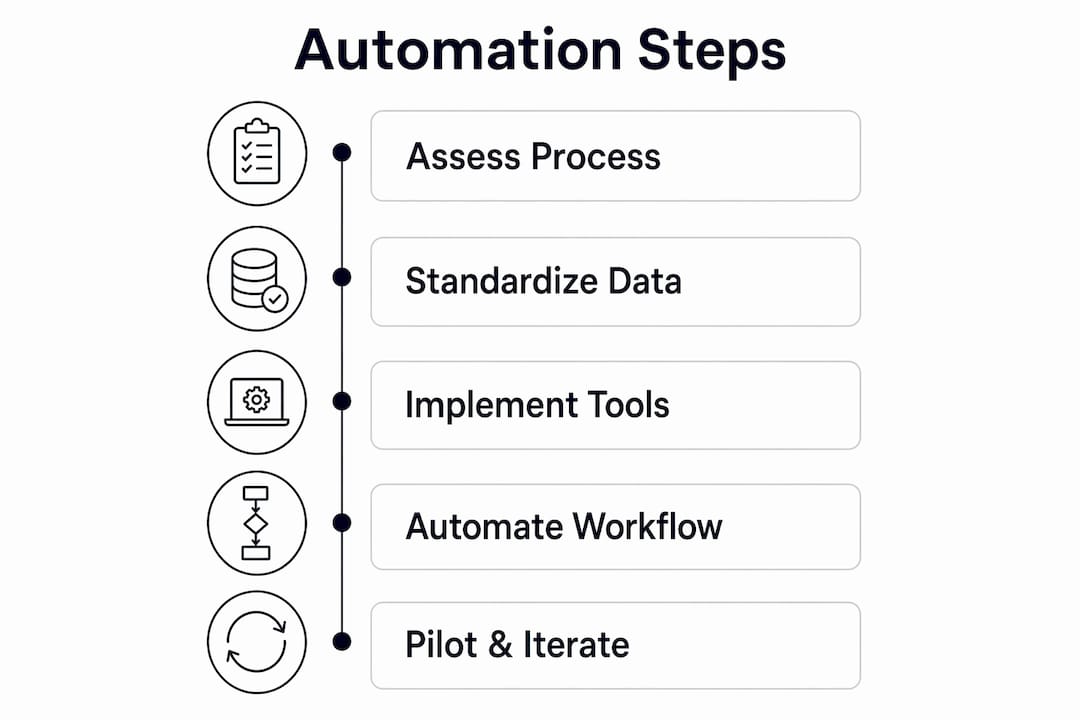
Step 1: Assess your current process
Map every manual task in your current close. Time each one. Identify which tasks repeat every month without variation. Those are your automation candidates. Flag tasks that require judgment calls or involve external data sources that are not yet standardized.
Step 2: Standardize your data inputs
Connect your bank feeds, credit card accounts, payroll system, and expense platform to your accounting system before you configure any automation rules. Automation built on inconsistent data produces inconsistent outputs. Standardize account codes, vendor names, and transaction descriptions across all source systems first.
Step 3: Implement tools and integrations
Configure your reconciliation engine, ERP sync, and journal entry templates. Set matching rules for each account type. Define tolerance levels, meaning the dollar amount below which a variance auto-clears. Financial close automation works best as a connected layer across reconciliation, journal management, and task tracking rather than a collection of disconnected point solutions. Build it that way from the start.
| Implementation phase | Typical timeline | Key deliverable |
|---|---|---|
| Bank reconciliation and data integrations | 2–4 weeks | Automated bank matching live |
| Journal entry templates and recurring postings | 4–6 weeks | Recurring entries posting without manual input |
| Workflow approvals and close task tracking | 6–10 weeks | Approval gates and deadline alerts active |
| End-to-end close automation | 2–3 months | Full automated cycle with parallel manual validation |
Step 4: Build workflow automation for review and approvals
Automate the routing of completed tasks to the right reviewer. Set escalation rules for tasks that miss deadlines. Lock each account immediately after it clears review. This prevents anyone from editing a reconciled account while the rest of the close is still in progress.
Step 5: Run a pilot close and iterate
Run your first automated cycle alongside your normal manual process. Compare outputs line by line. Investigate every discrepancy. After two or three clean pilot cycles, retire the manual parallel process and run fully automated. Revisit your matching rules quarterly as transaction volumes and vendor relationships change.
What are the most common automation challenges?
Data quality is the first and most persistent challenge. Garbage in, garbage out is not a cliché in financial close automation. It is the mechanism by which most implementations fail. Inconsistent vendor names, duplicate transactions, and missing account codes all break matching rules and create exception queues that require manual resolution.
The second challenge is review discipline. Automating mechanical tasks without automating review allows errors to move faster, not disappear. Finance teams that automate task completion but leave review ad hoc end up with faster closes that are less reliable than their manual predecessors. Build approval workflows before you go live, not after.
Period lock discipline is the most underused control in automated close programs. Implementing a period lock immediately after approval prevents silent post-close data changes that undermine financial statement integrity and create audit findings months later. Lock the period the moment the CFO or controller signs off. No exceptions.
Audit readiness is the third challenge. Automation generates volume. Hundreds of auto-posted journal entries and thousands of matched transactions create an audit trail that is either an asset or a liability depending on how well you document your rules. Store your matching rule configurations, tolerance thresholds, and approval logs in a location auditors can access directly. Do not rely on screenshots or email threads.
- Review your exception queue daily during the close cycle, not just at the end
- Document every matching rule change with a date, a reason, and the name of the person who approved it
- Run a monthly reconciliation accuracy report to track your straight-through processing rate over time
- Assign a named owner to every automated task so accountability does not disappear with the manual process
Key Takeaways
Financial close automation cuts close cycle time by 50–70% when teams pair automated task execution with equally disciplined automated review and period lock controls.
| Point | Details |
|---|---|
| Automate high-volume tasks first | Start with bank reconciliations, recurring journals, and transaction matching before tackling judgment-heavy activities. |
| Data quality determines outcomes | Standardize source data across all connected systems before configuring any automation rules. |
| Review automation is non-negotiable | Build approval workflows and escalation rules at the same time as task automation to prevent faster error propagation. |
| Period lock protects integrity | Lock each period immediately after sign-off to prevent silent post-close edits that compromise audit readiness. |
| Phased rollout reduces risk | Basic automation goes live in 2–4 weeks; full end-to-end automation takes 2–3 months with parallel manual validation. |
The close sprint mentality is the real problem
Most finance teams treat the month-end close as a sprint. Ten days of controlled chaos, followed by a brief exhale, followed by the next sprint. Automation does not fix that mentality. It just makes the sprint faster.
The teams I have seen get the most out of financial close automation are the ones who stopped thinking about the close as an event. They shifted to a continuous accounting model where transactions are categorized, matched, and reviewed as they occur throughout the month. By the time the period ends, the close is mostly done. The final days become a review and sign-off exercise, not a data entry marathon.
The second thing I would caution against is treating automation as a single tool purchase. Finance teams that buy one reconciliation product and call it "automated" are solving 20% of the problem. The real gain comes from connecting reconciliation, journal management, task tracking, and reporting into a single workflow layer. That is where the 50–70% cycle time reduction actually comes from.
My honest recommendation: do not automate faster than your review controls can keep up. A 3-day close with unreliable numbers is worse than a 7-day close you can defend. Build the review framework first. Then compress the timeline.
— Owen
How Theperegrine fits into your automated close
Finance teams running QuickBooks Online have a direct path to AI-powered financial close automation through Theperegrine.
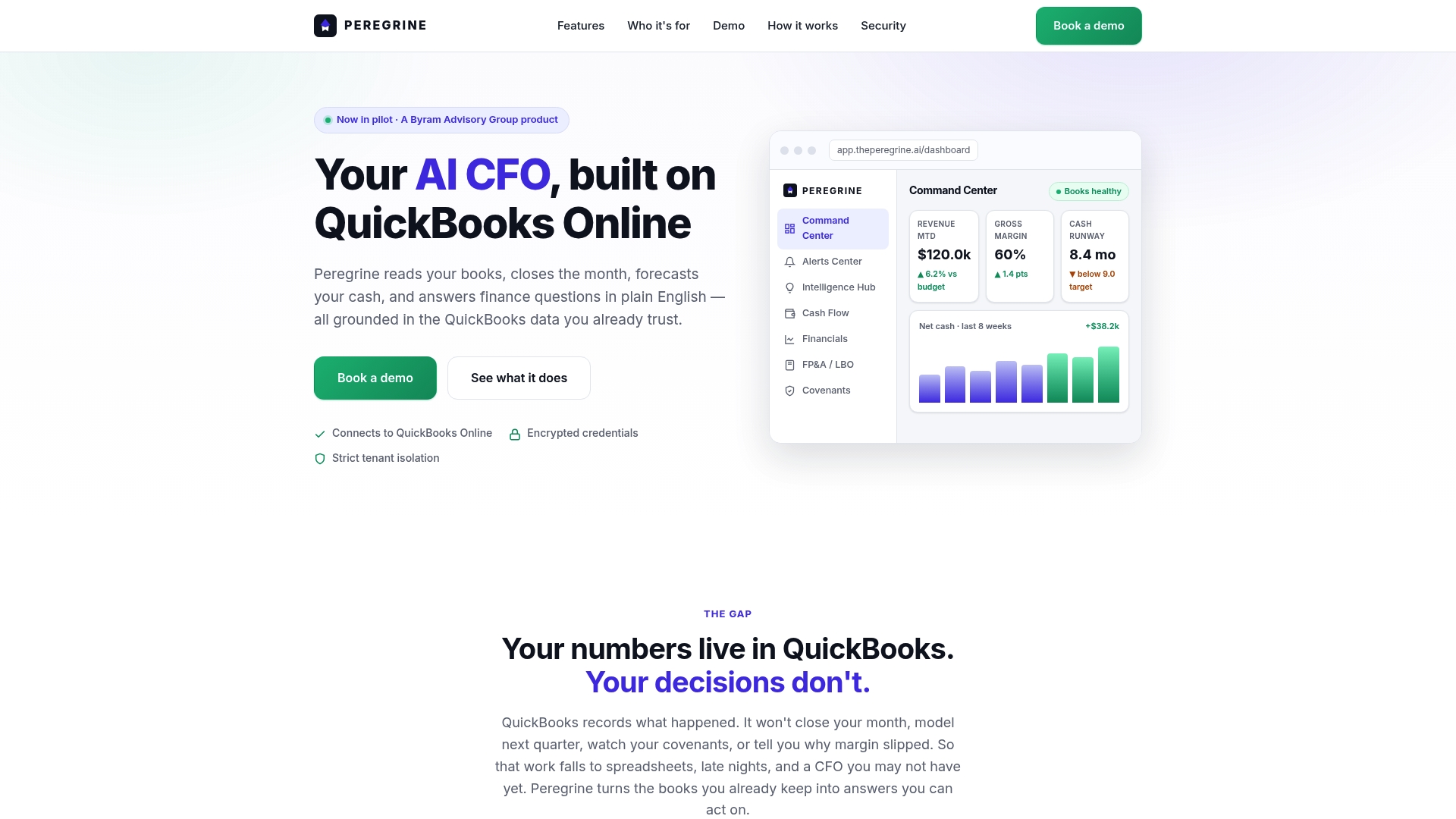
Theperegrine integrates directly with QuickBooks Online and automates bank reconciliation, cash flow forecasting, and anomaly detection in real time. It gives business owners and finance teams CFO-grade visibility without the overhead of a full-time hire. Every transaction, reconciliation, and period status is visible in a single command center, so your close is traceable and audit-ready from day one. If your team is ready to move from manual month-end closing to a connected, automated process, Theperegrine is built for exactly that transition.
FAQ
What is month-end close automation?
Month-end close automation is the use of integrated systems and AI to perform repetitive closing tasks, including bank reconciliation, journal entry posting, and workflow approvals, without manual intervention. It replaces the traditional close sprint with a continuous, controlled process.
How much time does financial close automation save?
Organizations that implement financial close automation reduce close cycle time by 50–70%, typically cutting a 10-day manual close to 3–5 days.
What tasks should not be automated in the month-end close process?
Cutoff decisions, accrual assumption changes, and final review sign-off require human judgment and should stay manual. Automating these activities without adequate controls accelerates error propagation rather than reducing it.
How long does it take to implement month-end close automation?
Basic bank reconciliation automation takes 2–4 weeks. A full end-to-end automated close program typically requires 2–3 months, including parallel manual validation cycles.
Why is period lock important in an automated close?
Period lock prevents silent post-close data changes that compromise financial statement integrity. Locking the period immediately after approval is the primary control that keeps automated close data audit-ready.