
Connecting accounting records to reliable financial forecasts and investor-ready business plans delays key decisions for founders and finance teams. Many tools restrict integrations to QuickBooks only or require tedious manual spreadsheet updates for proper forecasting. This comparison breaks down integration, automation, and pricing details so founders and finance teams can match a platform to their actual accounting workflow.
Table of Contents
Peregrine
At a Glance
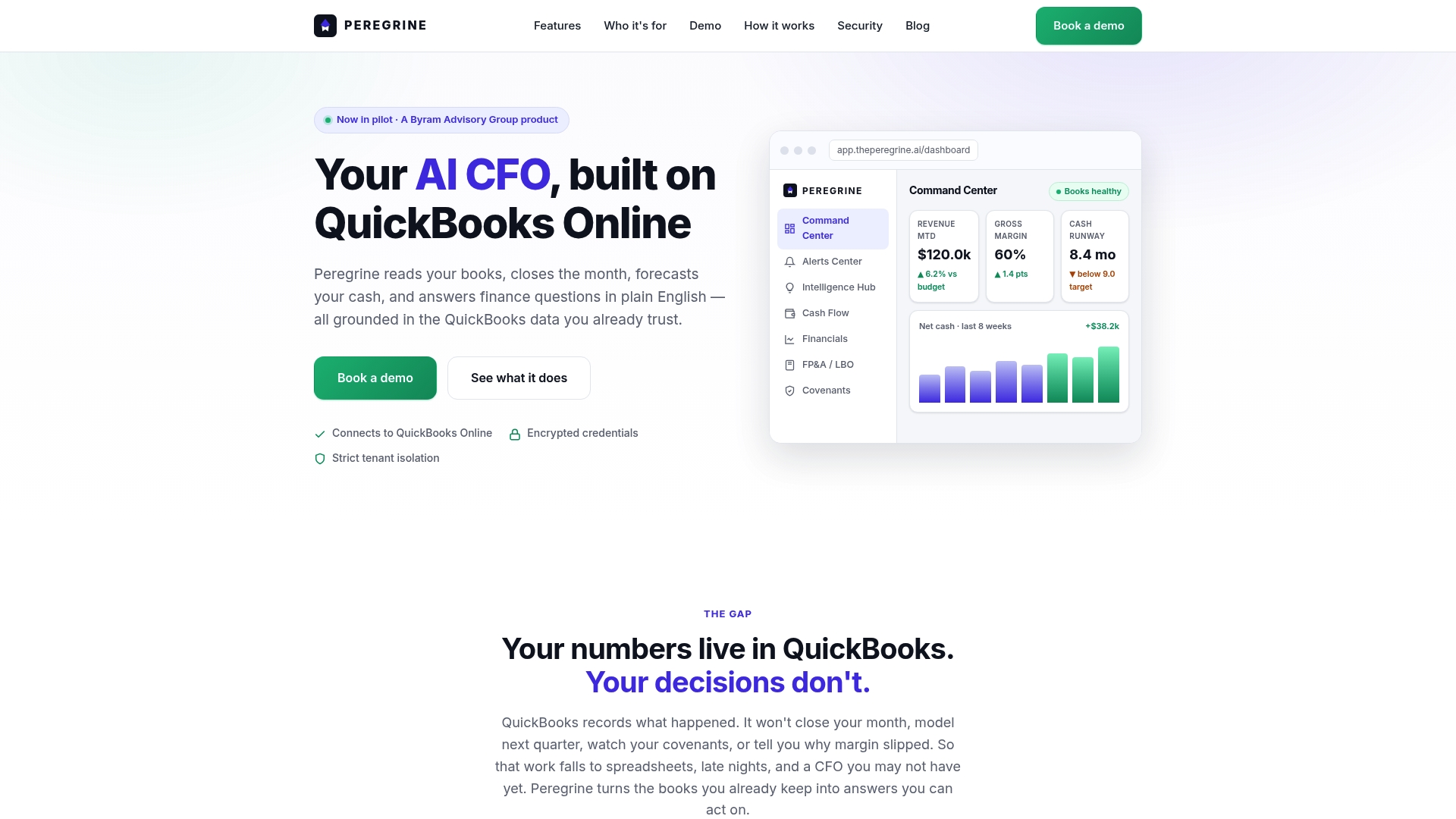
Direct connection to QuickBooks Online powers a live dashboard and a 13-week rolling cash flow forecast with alerting. Peregrine automates month-end close tasks and proposes reconciliation and journal entries to cut manual work. The interface surfaces runway, cash, margin, and covenant signals from live ledger figures.
Core Features
A live dashboard tracks revenue, margin, cash, and runway and sends period by period alerts. AI guided month end close proposes reconciliations and journal entries while a 13 week rolling cash flow forecast lets you edit assumptions directly. The product also runs FP&A and leveraged buyout modeling on ledger data, tracks covenant and debt signals, generates board packs, and supports plain English queries with source figure transparency.
Key Differentiator
Peregrine automatically turns QuickBooks ledger data into real time CFO grade insights and forecasts with minimal manual input. That direct ledger mapping keeps forecasts and reports tied to source transactions rather than to separate spreadsheets. The vendor positions this as a way for teams already on QuickBooks Online to get immediate financial visibility and early warning on covenants.
Pros
Peregrine delivers CFO level visibility without hiring a full time finance leader, which helps founders run scenarios faster. Its month end automation and journal entry proposals reduce repetitive bookkeeping steps and speed close cycles. The QuickBooks Online integration avoids duplicated data entry and preserves audit traceability. Multi tenant isolation makes the product suitable for accounting practices and advisory firms that manage many client books.
Cons
- Limited integrations beyond QuickBooks Online may require workarounds if your stack uses other accounting or data platforms.
Notable Integrations
- QuickBooks Online
Who It's For
Founders and finance teams who already use QuickBooks and want near real time forecasting and covenant monitoring. Accounting and advisory firms that need multi tenant isolation and board pack generation will find the tenant model useful. Teams that rely on other ledgers should verify integration needs first.
Unique Value Proposition
AI guided month end close that proposes reconciliation items and journal entries directly from QuickBooks Online data. That workflow cuts the manual steps between your GL and forecasts and keeps board reports tied to live figures. For small finance teams, this reduces dependence on spreadsheet labor and shortens the loop from transaction to executive report.
Real World Use Case
A mid sized company connects its QuickBooks file, lets Peregrine propose reconciliation entries during month end, and publishes a 13 week cash forecast to the executive team. The finance lead spends less time compiling reconciliations and more time reviewing scenarios. Board reports pull from the same live data used for forecasting.
Pricing
Pricing is not publicly listed. The product entry marks pricing as not applicable and informational only, so teams should contact Peregrine for demo and quote details. Enterprise or multi tenant arrangements likely require a tailored proposal.
Website: https://theperegrine.ai
Parallel
At a Glance
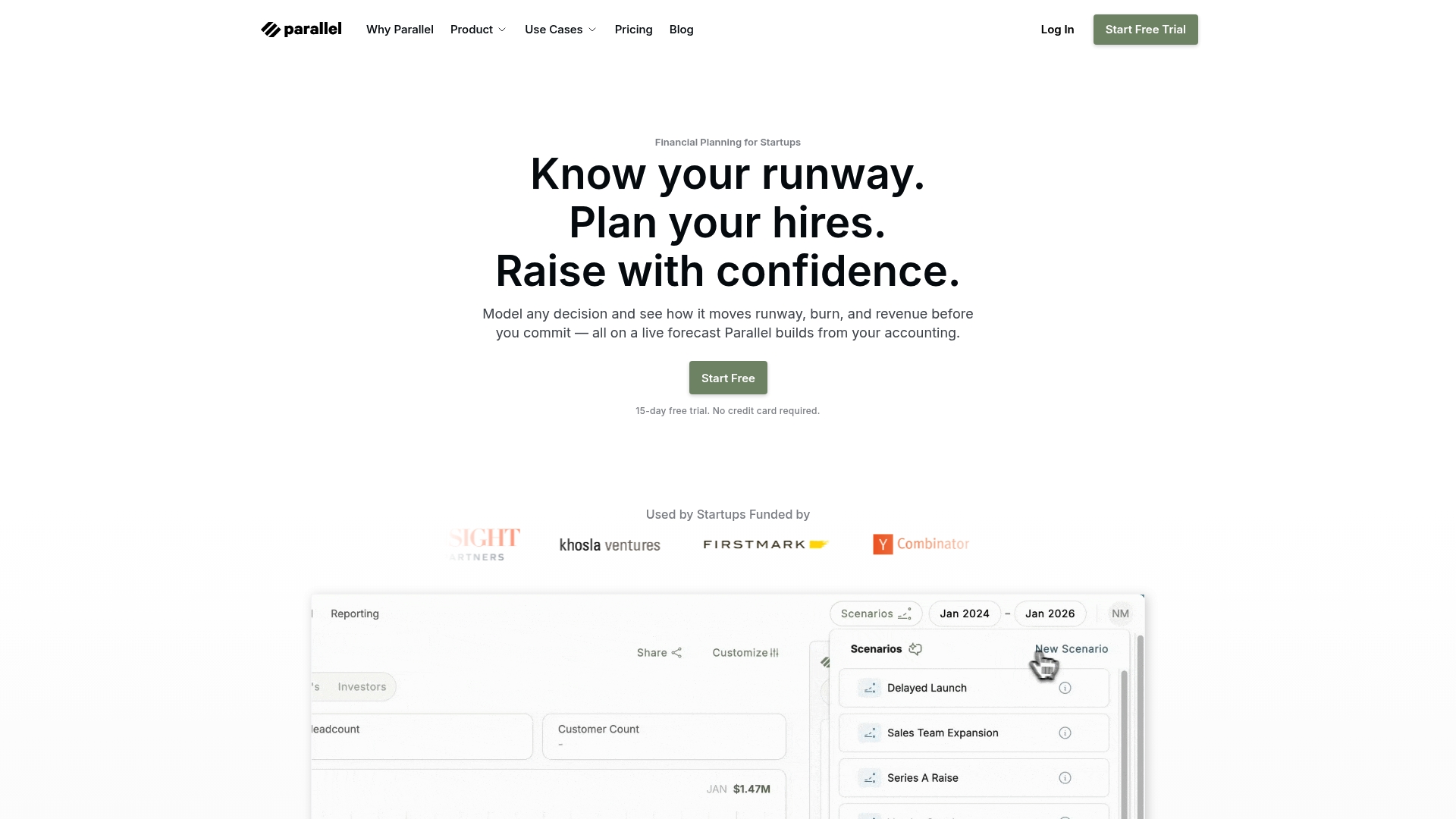
Connects directly to QuickBooks Online and Puzzle, so forecasts update from live accounting data. That link lets you compare hiring, fundraising, and revenue scenarios without manual CSV uploads. The platform targets founders who need fast, data-backed answers for runway and cash flow questions.
Core Features
Parallel pulls accounting actuals into a modeling layer and keeps them synchronized for ongoing forecasts. It offers what-if scenario modeling for hiring and funding choices and displays unified dashboards with live metrics and automated reports. The tool also includes headcount planning that factors full employee cost into projections.
Key Differentiator
Parallel ties forecasts to accounting records to keep projections current as numbers change. That direct connection reduces guesswork when you test hiring plans, pricing moves, or investor offers. For teams that base decisions on recent financials, this live link is the central selling point.
Pros
Connected accounting makes numbers trustworthy because models reflect posted transactions rather than stale assumptions. The modeling interface reduces spreadsheet complexity so nonfinance founders can run scenarios and share clear charts with investors. Built in headcount planning calculates total cost per hire so you see payroll effects on runway immediately.
Cons
- Third party reviews report the platform can feel heavy for very early startups with sparse data, and some reviewers say advanced features need stability improvements.
- Integration choices are narrow. Outside QuickBooks and Puzzle, options are limited.
- Initial setup requires careful data mapping and cleanup to avoid inaccurate forecasts.
When It May Not Fit
If you run a prerevenue startup with minimal accounting records, Parallel may feel like overkill because it relies on posted transactions. Teams needing wide third party connectivity will find the integration list restrictive. If you cannot dedicate time to clean your books before import, forecast accuracy will suffer.
Notable Integrations
Parallel connects to QuickBooks Online for live actuals and to Puzzle for additional accounting syncs. Those links are the primary paths to keep models current. No other integrations are listed by the vendor.
Who It's For
SaaS founders and early stage finance leads who want accounting driven forecasts without hiring a full time CFO. Founders preparing for investor conversations who need repeatable scenario outputs will get the most value. Teams with clean bookkeeping already in QuickBooks will accelerate onboarding.
Real World Use Case
A founder syncs QuickBooks Online, models three hiring plans, and compares runway under each scenario. The team exports dashboards to support a fundraising deck and answers investor questions with numbers tied to recent invoices. That process shortens prep time and clarifies trade offs for offers.
Pricing
Parallel offers a 15 day free trial with no credit card required. The vendor lists that trial as the way to test the product before purchase. Public tiered pricing is not provided on the site.
Website: https://getparallel.com
Modeliks
At a Glance
Modeliks reports being trusted by over 1,000 entrepreneurs globally. It combines AI-powered business plan creation with driver-based forecasting and automated financial statements. That mix targets teams that need investor-ready plans and scenario models more than continuous bookkeeping operations.
Core Features
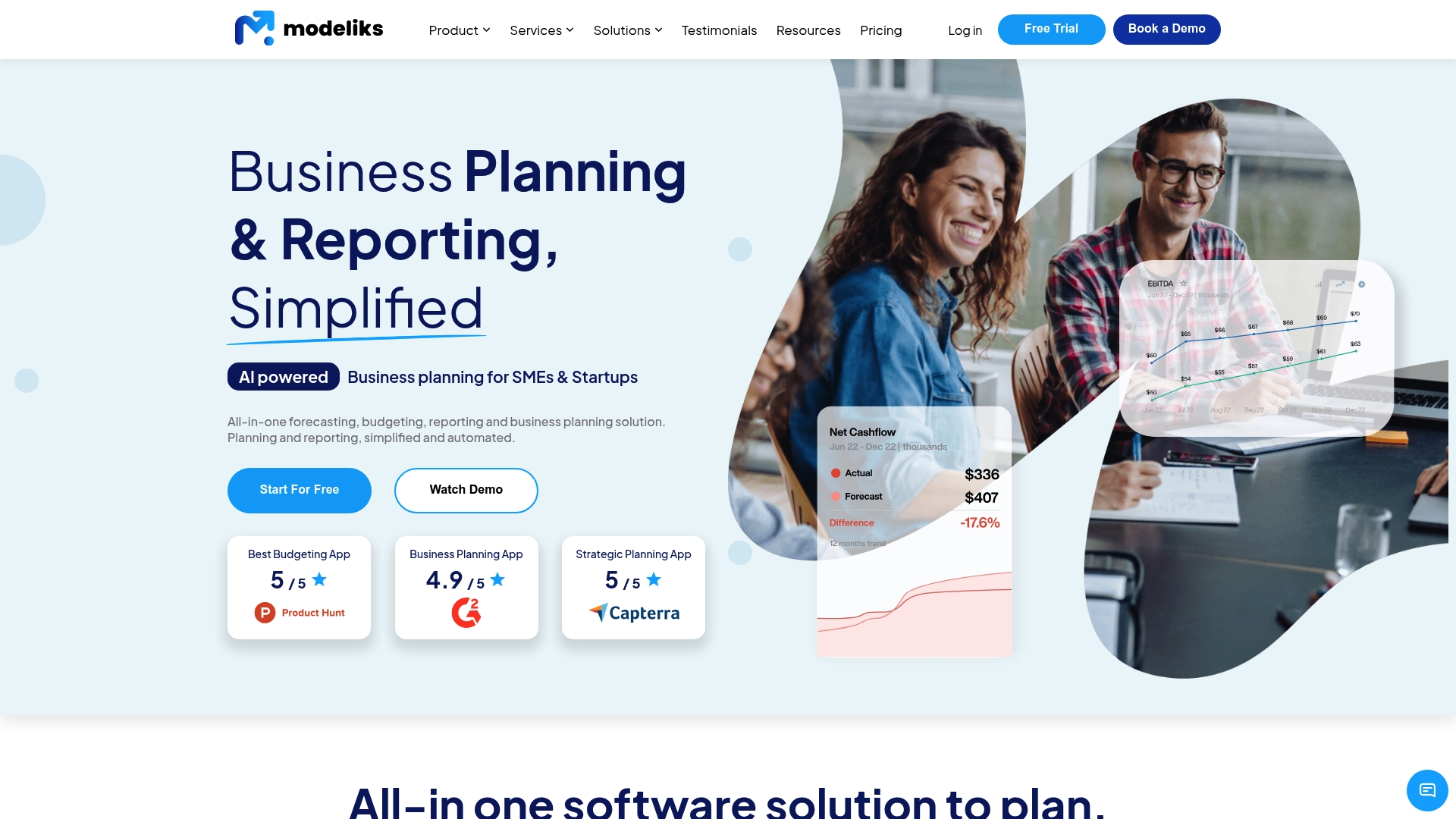
Modeliks generates investor-ready business plans using an AI-assisted editor and produces automated profit and loss, balance sheet, and cash flow statements. It supports driver-based scenario analysis, KPI tracking, and customizable dashboards for reporting to investors or lenders. The product also integrates with accounting and ERP systems to pull live data into forecasts.
Key Differentiator
The standout is AI-powered business plan creation paired with driver-based financial modeling and API links to accounting systems. That combination makes Modeliks a planning-first tool for founders, consultants, and accountants. It serves a narrower audience than Peregrine, which centers on real-time QuickBooks-driven financial operations.
Pros
Modeliks automates time-consuming modeling tasks so finance owners and nonfinancial founders spend less time on spreadsheets and more time on strategy. The interface and onboarding are built for nonfinancial professionals, and the vendor advertises high customer satisfaction with excellent review scores. Integrations with QuickBooks and Pantheon ERP bring source data into forecasts and reduce manual imports.
Cons
- Advanced automation and integrations require a learning curve for complete beginners. Some setup work is needed to map drivers and accounts.
- Monthly pricing may be a barrier for very small startups or sole proprietors seeking basic forecasting tools.
- The service depends on internet access because models, reporting, and integrations run in the cloud.
When It May Not Fit
If your team lacks basic financial literacy, Modeliks may feel complex until drivers and scenarios are defined. If you need a low-cost, single-sheet budgeting tool, the monthly price could exceed your budget. Teams that require a live operational command center tightly embedded in QuickBooks might prefer platforms focused on continuous accounting workflows.
Notable Integrations
- QuickBooks
- Pantheon ERP
Both integrations use APIs to import accounting data and keep forecasts aligned with ledger balances.
Who It's For
Founders, accountants, and consultants who must produce investor-ready plans, bank-quality business plans, and multi-scenario forecasts. SMEs and startups that want a single place for planning, reporting, and fundraising documentation will get the most from Modeliks.
Real World Use Case
A startup founder used Modeliks to build a detailed financial model, generate a polished pitch deck, and produce a bank-ready business plan within days. That workflow replaced weeks of manual spreadsheet work and accelerated fundraising preparation.
Pricing
Monthly plans start at $239 per month across tiers labeled Start, Fund, Grow, and Enterprise. Discounts apply for annual billing and additional user fees may apply.
Website: https://modeliks.com
Comparison of alternatives
Financial modeling software comparisons reveal diverse strengths in workflow automation and ledger-driven insights. Each platform suits specific business needs, from integration to user-friendly forecasting tools.
Ledger and Workflow Automation
Peregrine excels in direct ledger integration with QuickBooks Online, transforming live accounting data into dynamic dashboards and forecasts for detailed executive-level decision-making. Parallel also connects live figures but adds headcount planning for detailed payroll cost modeling. Modeliks integrates broader operational data but focuses on planning over live operational tracking.
Board and Investor Reporting
Modeliks delivers investor-ready reports, including business plans and bank-ready statements, tailored automatically via AI tools. This suits startups needing to prepare for funding events or financial audit processes. While Peregrine provides managerial clarity, it lacks in-depth customization for investors.
Best fit
- Founders leveraging QuickBooks Online for financial visibility will align with Peregrine's precise real-time dashboard integrations.
- Teams aiming to create polished pitch decks and investor-grade business plans efficiently should consider Modeliks due to its AI-powered capabilities.
- Startups managing payroll expenses and investor relationships would find Parallel's scenario modeling and headcount planning.
Our pick
Peregrine stands apart by its live ledger data transformation into executive-grade forecasts via direct automation—a critical asset for startups with QuickBooks Online established as their core accounting platform. However, teams requiring broader integration compatibility might opt for Parallel or Modeliks instead.
Focus on selecting software with strong real-time ledger integration and scenario modeling capabilities to support comprehensive financial planning and forecasting.
| Product | Core Feature | Key Differentiator | Best For | Pricing | Notable Limitation |
|---|---|---|---|---|---|
| Peregrine | Live updating financial dashboards with QuickBooks Online tie-in | Real-time forecasting from QuickBooks data | Founder-led finance teams and advisory firms | Price not published | Limited integration beyond QuickBooks Online |
| Parallel | Accounting-driven scenario modeling | Live updates of hiring and revenue planning scenarios | Startups needing investor-ready scenario outputs | Price not published | Accuracy depends on proper initial data mapping |
| Modeliks | AI-assisted business plan generation | Combines automation with driver-based forecasting and accounting syncs | Firms creating complete investor-readied documents | $239/month | Steep learning curve for basic users |
How Startup Founders Overcome Forecasting Challenges with Peregrine
Financial modeling software for startups often highlights the struggle with manual data entry, disconnected spreadsheets, and slow month-end close processes. Peregrine directly connects to QuickBooks Online to deliver real-time CFO-grade insights and rolling cash flow forecasts without the tedious bookkeeping and duplicated data effort. Founders and finance teams who want fast, reliable forecasting and covenant monitoring benefit from its AI-guided reconciliation proposals and live dashboard views of runway, margin, and cash.
Peregrine reduces the friction in financial management so your team can spend less time compiling reports and more time reviewing scenarios. See how Peregrine handles month-end close automation, journal entry suggestions, and live ledger updates that keep your forecasts tied to source transactions. Learn more at the site and connect your QuickBooks data to start gaining financial clarity today.
Check out Peregrine for a better way to manage startup financial modeling and forecasting that keeps pace with your growth.
FAQ
How does Peregrine support month-end close tasks?
Peregrine automates month-end close tasks by proposing reconciliations and journal entries. The platform's AI-guided month-end close feature helps streamline accounting processes and reduces the manual work involved in closing monthly books. Finance teams can expect a more efficient process with less repetitive bookkeeping.
What is the difference between Peregrine and Parallel?
Parallel provides strong scenario modeling for hiring and funding choices by connecting directly to QuickBooks Online and Puzzle. This integration allows teams to compare various financial scenarios without manual data uploads. In contrast, Peregrine excels in providing real-time CFO grade insights from QuickBooks data with minimal manual input, making it ideal for those looking for immediate financial visibility.
Which platform offers easy integration with existing accounting software?
Peregrine integrates seamlessly with QuickBooks Online, allowing for real-time updates to forecasts based on live accounting data. This integration is essential for teams already using QuickBooks, as it preserves audit traceability and minimizes data entry errors. Users seeking to connect their existing accounting software can count on Peregrine to provide this capability.
Can I use Peregrine if my team relies on different ledgers?
Peregrine is specifically designed for users of QuickBooks Online. If your team relies on other ledgers, you may need to verify integration options, as Peregrine's limited integrations beyond QuickBooks may require workarounds. Exploring Peregrine first can be beneficial, especially for QuickBooks users.
How does Peregrine's live dashboard improve cash flow forecasting?
Peregrine’s live dashboard tracks key metrics like revenue, margin, cash, and runway and sends alerts for each period. This feature helps finance teams get immediate insights into their cash flow status and enables proactive financial management, ensuring teams stay informed about their fiscal health.