Finding an AI bookkeeping software that fits the unique needs and budget of a small business or accounting firm is harder than it should be. Many platforms demand complex setup, hide pricing, or reserve key features for expensive tiers and sales negotiations. This review compares price, automation, and customization across six direct alternatives so accounting firms and business owners can choose the best fit without wasting time.
Table of Contents
Peregrine
At a Glance
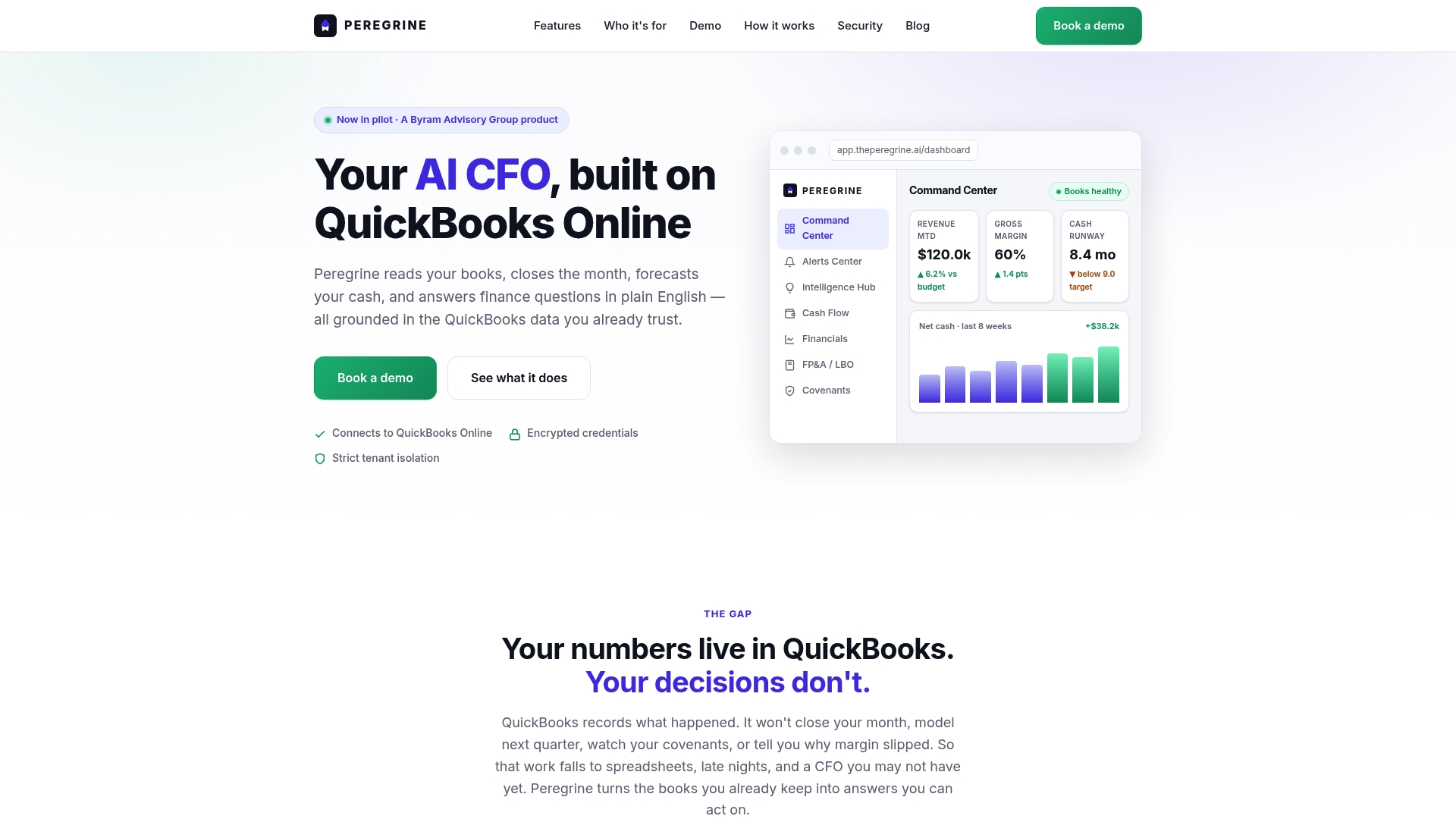
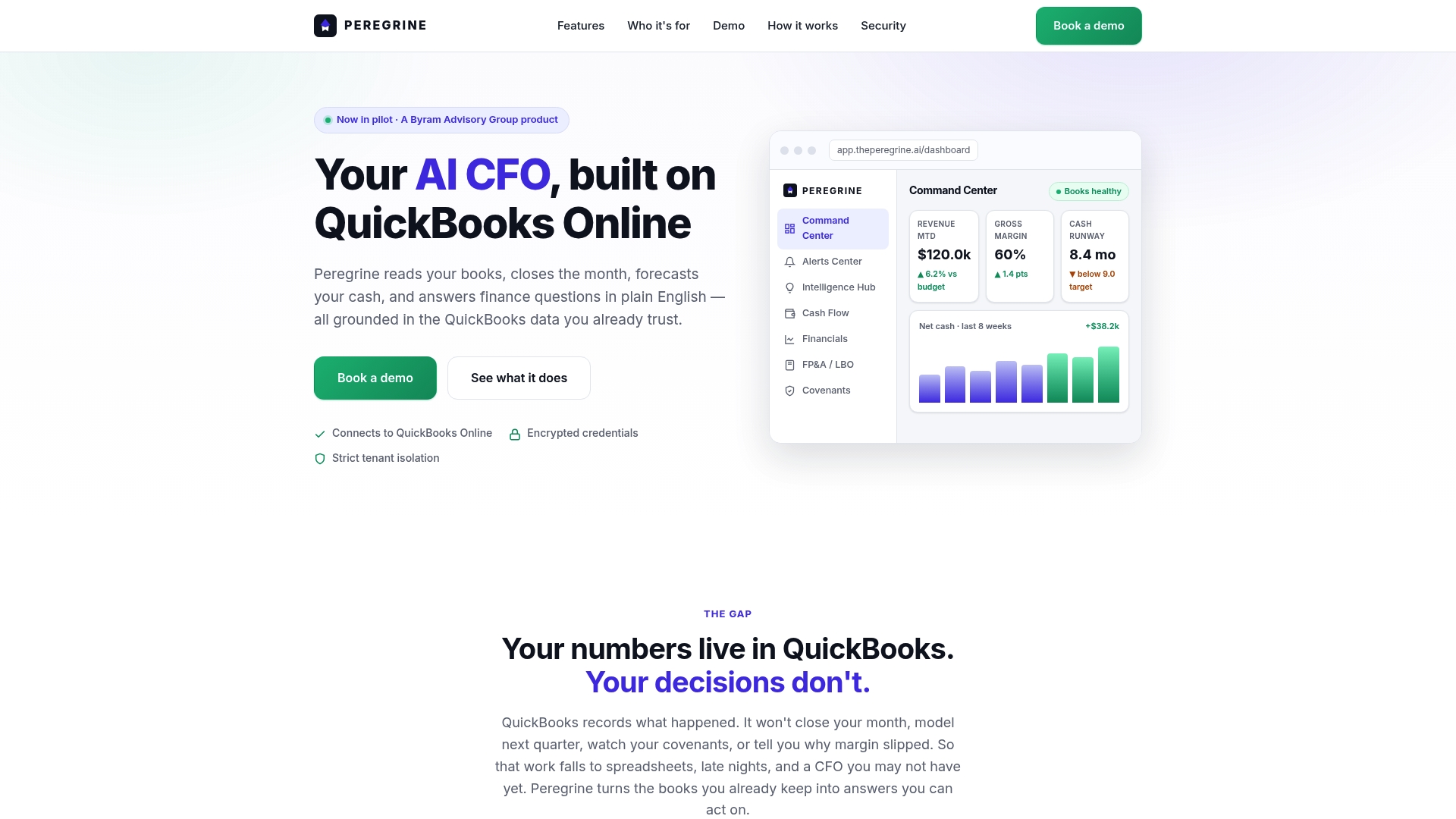
Connects directly to QuickBooks Online and runs 13-week rolling cash flow forecasts with manual overrides. The platform surfaces live KPIs, alerts, and anomaly detection on a single dashboard. It automates month-end closing tasks and produces plain-English answers to finance questions.
Core Features
Peregrine uses the live ledger from QuickBooks Online to power a dashboard of KPIs and alerts while offering AI-guided month-end closing checklists. It produces 13-week rolling cash flow forecasts with overrides and supports FP&A workflows such as budgeting and LBO modeling. The system also tracks covenant and debt compliance and includes role-based access, multi-tenant architecture, and human-in-the-loop controls for client data isolation.
Key Differentiator
Grounded entirely in QuickBooks Online data, Peregrine delivers CFO-level insight without separate data uploads or parallel reporting systems. That approach reduces reconciliation work and keeps forecasts tied to the live ledger. For advisory firms, the multi-tenant design preserves client separation while letting partners view consolidated metrics across books.
Pros
Peregrine provides real-time, CFO-grade visibility that draws directly from the QuickBooks ledger and reduces time spent on manual entries. Automated month-end checklists, a live KPI dashboard, and covenant tracking cut routine reporting hours and help surface compliance risks earlier. The platform supports finance teams and advisory firms with multi-tenant controls and role-based access while human review gates protect sensitive changes. Plain-English financial queries lower the barrier for nonfinancial owners to get clear answers quickly.
Cons
- Public pricing and detailed onboarding or scalability information are not published, which makes procurement planning harder for small firms.
Who It's For
Finance teams, business owners, and accounting or advisory firms that run QuickBooks Online and need faster close cycles, clearer cash flow forecasts, and covenant monitoring. Advisory firms that manage multiple clients will benefit from the multi-tenant architecture and strict client data isolation. Owner-operators who want CFO-level reporting without hiring a full-time finance leader will find the plain-English query feature useful.
Unique Value Proposition
The product presents a live financial command center that shows revenue, cash flow, and operational efficiency metrics in real time. That visibility lets small teams produce board-ready reports faster and respond to covenant or cash shortfall warnings sooner. For firms that cannot add headcount, the platform replaces manual consolidation and repetitive forecasting work with a ledger-driven workflow.
Real World Use Case
An accounting firm connects client QuickBooks books and runs monthly closes from a single pane. Staff use the AI-guided checklists to reduce review time and the covenant tracker to flag breaches before they become urgent. Partners export board reports with updated forecasts and variance explanations without relaying data.
Pricing
No public pricing is listed. The vendor classifies pricing as informational only and does not publish rates. Prospective customers must contact Peregrine for licensing, multi-tenant fees, and implementation cost estimates.
Website: https://theperegrine.ai
Digits
At a Glance
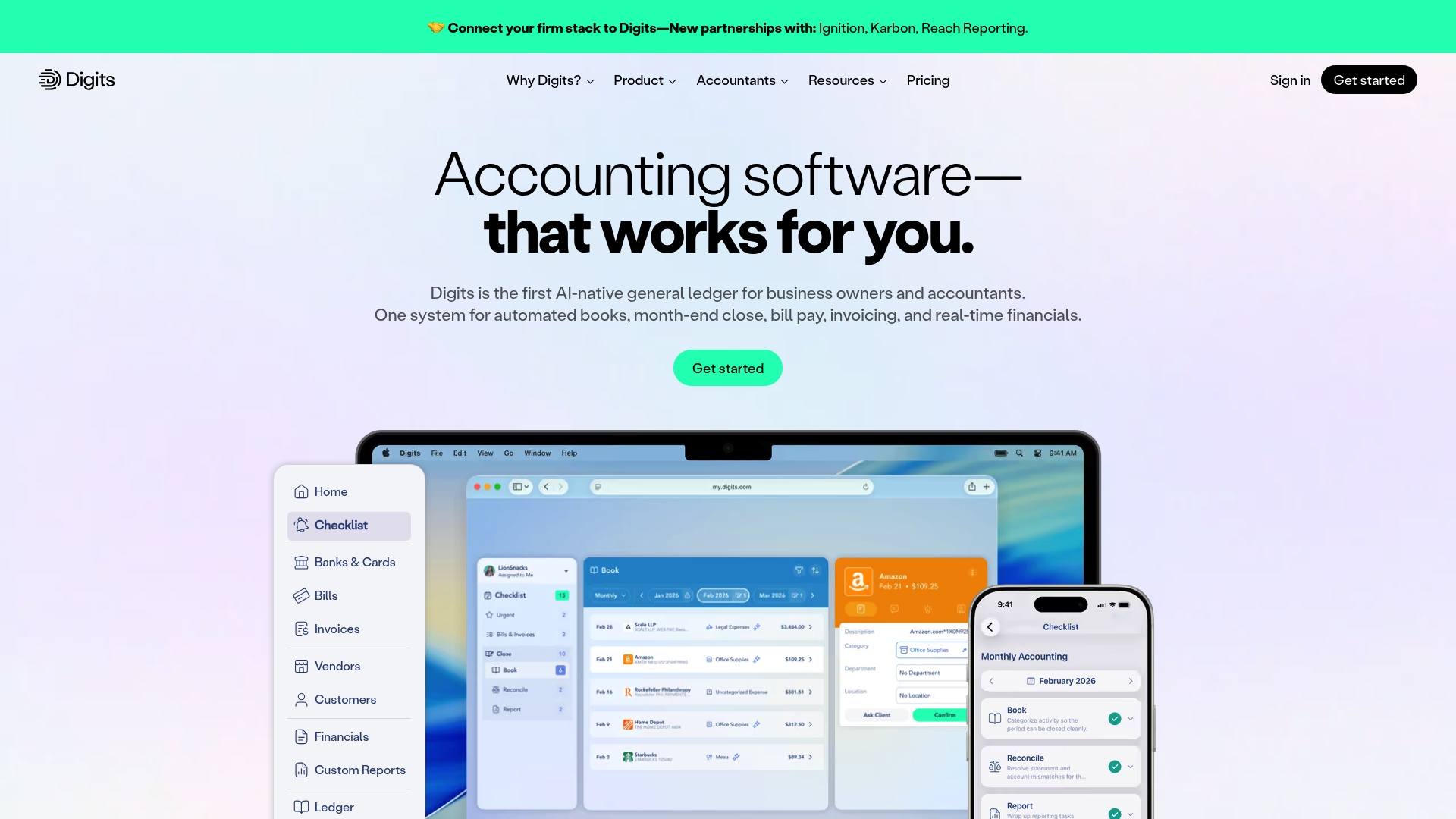
Digits reports connectivity to more than 12,000 financial institutions. The vendor advertises that thousands of startups, small businesses, and accounting firms use the product. It positions itself as an AI native general ledger that automates bookkeeping, month end close, reconciliations, and payments for finance teams.
Core Features
Digits centers on automated bookkeeping and reconciliation workflows that use machine learning to classify transactions and suggest ledger entries. It provides live dashboards and customizable reporting, integrated bill pay, and invoicing, plus mobile native apps for iPhone and iPad. Developers get API and MCP support to embed ledger data and automate accounting workflows inside other products.
Key Differentiator
The main distinction is its claim to be the first AI native general ledger that treats the ledger as the automation layer rather than a reporting output. That approach combines transaction mapping with accrual and month end close logic inside one ledger. The result aims to reduce manual journal entry work and keep financial data synchronized across systems.
Pros
Digits automates repetitive accounting tasks, which cuts down manual entries and bookkeeping hours for small finance teams. The vendor reports high satisfaction ratings and many users praise the interface and support. Broad bank connectivity and API tooling let firms move from manual imports to near real time posting and embed ledger data into customer portals.
Cons
- Setup complexity can be high for new users. Teams without technical resources may need outside help to map accounts and rules.
- Customer support channels are not well documented. Public information on response times and contact methods is limited.
- Advanced capabilities like custom model training and enterprise features require contacting sales. That step can delay onboarding for smaller firms.
When It May Not Fit
Small teams with no technical staff may struggle through initial configuration and custom mapping. Very large enterprises should evaluate scalability and multi entity support before committing. If you need turnkey enterprise level workflows and immediate white glove onboarding, this product may not match that need.
Notable Integrations
- 12,000+ financial institutions for bank and card connectivity.
- API & MCP support for custom and third party integrations.
Who It's For
Small to mid sized businesses and accounting firms that want ledger level automation and developer access fit Digits best. Teams building bespoke finance workflows will benefit from the APIs. Organizations that cannot dedicate technical resources to setup should consider alternatives.
Real World Use Case
A growing SaaS company used Digits to automate bookkeeping, month end close, and financial reporting. That change reduced manual reconciliation work and delivered faster cash flow visibility to leadership. Developers surfaced ledger figures inside the product for billing and finance teams.
Pricing
Digits publishes its pricing on its pricing page. See Pricing for current tiers, billing model, and feature comparisons.
Website: https://digits.com
Docyt
At a Glance
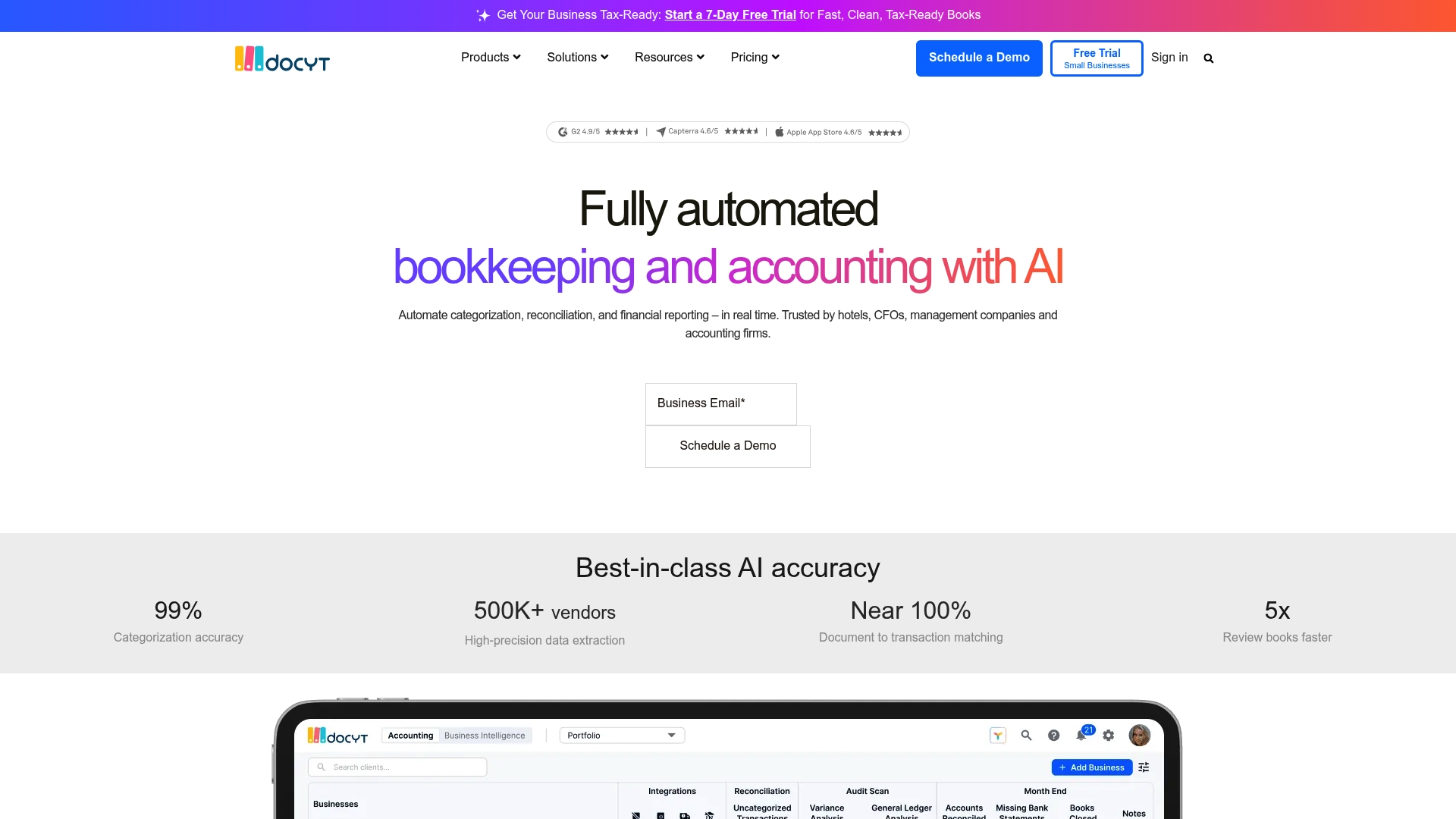
Docyt reports 99% accuracy in transaction categorization. The platform pairs that accuracy with AI powered real time reconciliation across multiple entities. Small chains and accounting firms use it to shorten reconciliation cycles and get faster visibility into daily revenue.
Core Features
Docyt automates bookkeeping workflows for bill pay, expense management, revenue reconciliation, and month end closing. It uses AI powered document classification and transaction categorization to reduce manual data entry and speed up bookkeeping tasks. The product also delivers real time financial reporting with P&L, balance sheet, and industry specific dashboards.
Key Differentiator
Docyt centers on AI powered real time reconciliation tied to industry specific KPIs for hospitality, retail, and food services. That design moves routine matching and KPI calculation into continuous processes rather than periodic tasks. The result is quicker detection of revenue gaps and faster answers to routine accounting questions.
Pros
Docyt combines automated workflows with multi entity support, which simplifies accounting for hotel groups and franchise owners. The vendor advertises broad connectivity to POS, ERP, payroll, and bank feeds, so data flows into the ledger without repeated exports. Real time reports and reconciliation reduce the back and forth between operators and bookkeepers, freeing accounting teams to focus on exceptions. The reported accuracy figure above supports reliance on automated categorization when rules are well tuned.
Cons
- The product has a steep learning curve for teams that have only used basic bookkeeping tools.
- Automation often needs careful initial setup and ongoing maintenance to avoid misclassifications.
- Pricing is pitched at mid market customers and may feel high for very small businesses or solo operators.
When It May Not Fit
Docyt is not the best choice for micro startups with only a handful of monthly transactions. Complex industries with extremely high transaction volumes might need a specialist solution built for scale. Organizations seeking a very low cost entry point will find the starting price positioned above basic bookkeeping apps.
Notable Integrations
- QuickBooks Online
- POS systems
- ERP systems
- Payroll systems
- Bank feeds
Who It's For
Accountants, hotel managers, retail owners, and small finance teams that need continuous reconciliation and consolidated reporting across entities will get the most value. Firms that manage multiple properties or franchise locations will benefit from the multi entity and industry dashboard features.
Real World Use Case
A hotel chain connects daily POS and bank feeds to Docyt to reconcile room revenue and extra charges each morning. Accounting sees exceptions at the property level and fixes rates or posting errors the same day. That workflow reduces month end surprises and shortens the closing cycle.
Pricing
Plans start at $299/month, with final pricing varying by industry and business size. The vendor structures fees around the number of entities and the complexity of integrations, so quotes differ for hotels, retail, and accounting firms.
Website: https://docyt.com
Tabby
At a Glance
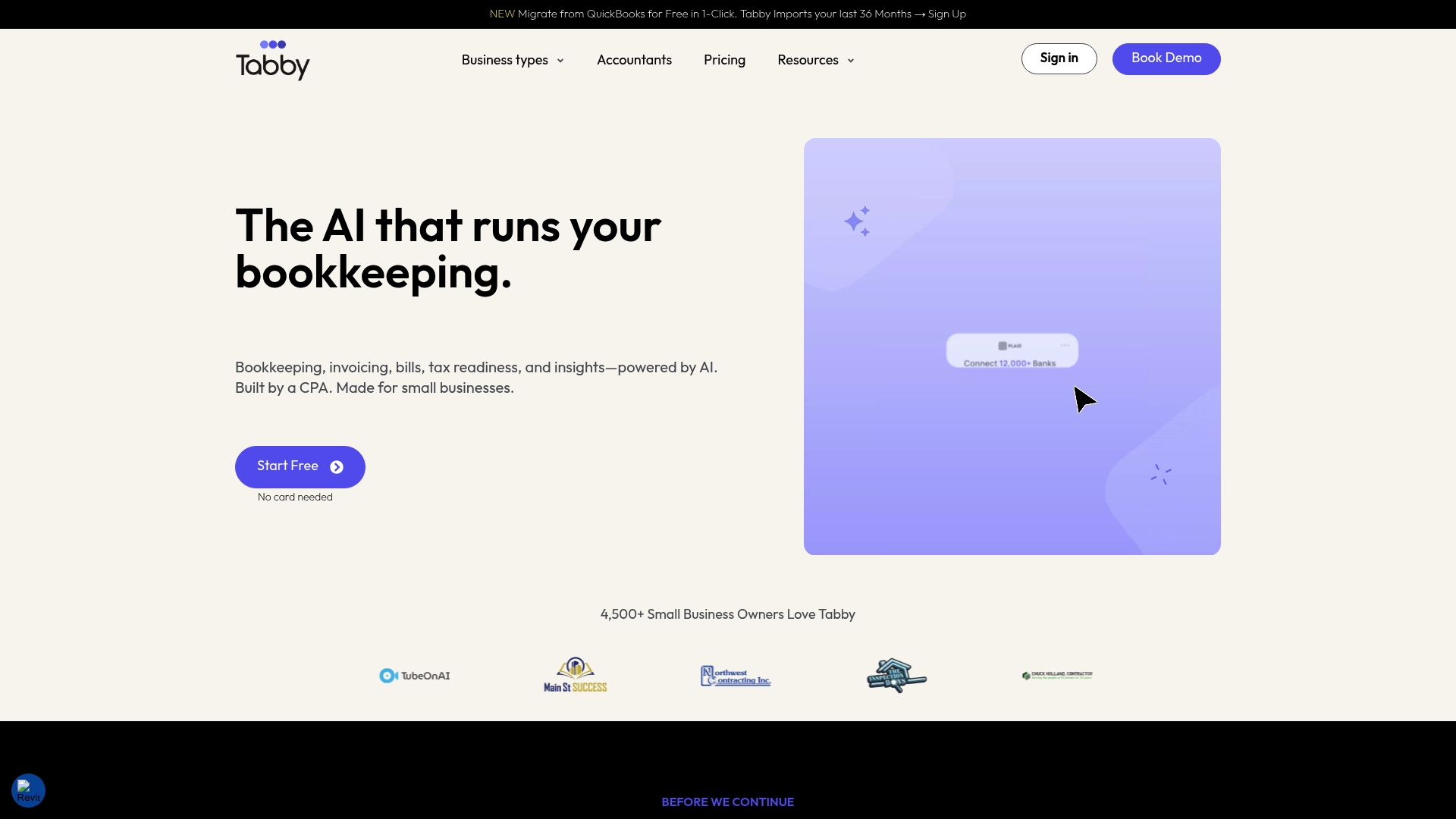
The vendor reports connections to over 12,000 financial institutions through Plaid. Tabby was built by a CPA and aims to categorize transactions automatically, find tax deductions, and run on mobile first. The company also reports users can find deductions of up to $5,000 per year.
Core Features
Tabby uses AI-powered real-time transaction categorization to tag income and expenses as transactions arrive, which reduces manual sorting. It includes a Smart tax deduction finder that flags deductible items and a smart matching mode that pairs bank transactions with receipts. Tabby connects with financial accounts through Plaid and keeps read only access to linked banks.
Key Differentiator
Tabby focuses narrowly on small and self employed users and promises bookkeeping without accounting experience. The product combines mobile first access with CPA-designed rules to surface deduction opportunities and simplify month end. That focus makes it more approachable for freelancers and gig workers than tools that target larger accounting teams.
Pros
Tabby automates core bookkeeping tasks, which saves time on manual categorization and reconciliation. Its mobile first interface works well for people who run their finances from a phone while on the road. The CPA background of the product influences the deduction finder and default categorizations, which helps less experienced users capture missed write offs. Secure read only bank connections reduce the friction of linking accounts.
Cons
- Limited manual customization for complex or unique accounting practices, which frustrates businesses with unusual chart of accounts.
- Multi entity support and advanced reports are restricted to higher tier plans, so growing businesses may need to upgrade.
- Reliance on third party bank integrations means institutions not supported by Plaid may not connect.
When It May Not Fit
If you require deep ledger customization or specialized tax treatments, Tabby may feel limiting. Companies managing many legal entities will likely outgrow the included reporting unless they choose the top tier. If your bank does not support Plaid connections, you will face setup gaps or extra manual work.
Notable Integrations
- Plaid
- Stripe
- AWS
- OpenAI
Who It's For
Tabby suits small business owners, freelancers, gig workers, and self employed professionals who want bookkeeping handled with minimal accounting knowledge. It fits people who prefer mobile first workflows and those who value a CPA perspective on deductions. Businesses needing heavy customization or enterprise grade reporting will need a different tool.
Real World Use Case
A freelance consultant links a business account, then opens the app on a smartphone to review categorized expenses. The smart matching mode ties receipts to bank lines and the deduction finder highlights missed deductible items. The consultant exports a quick profit and loss report for tax prep without manual entry.
Pricing
Tabby offers a free forever tier for up to $15,000 in tracked expenses annually. Paid plans start at $29/month for Standard with up to $200,000 in expenses. The Professional tier starts at $39/month and adds unlimited expenses and advanced features.
Website: https://usetabby.com
Smart Clerk
At a Glance
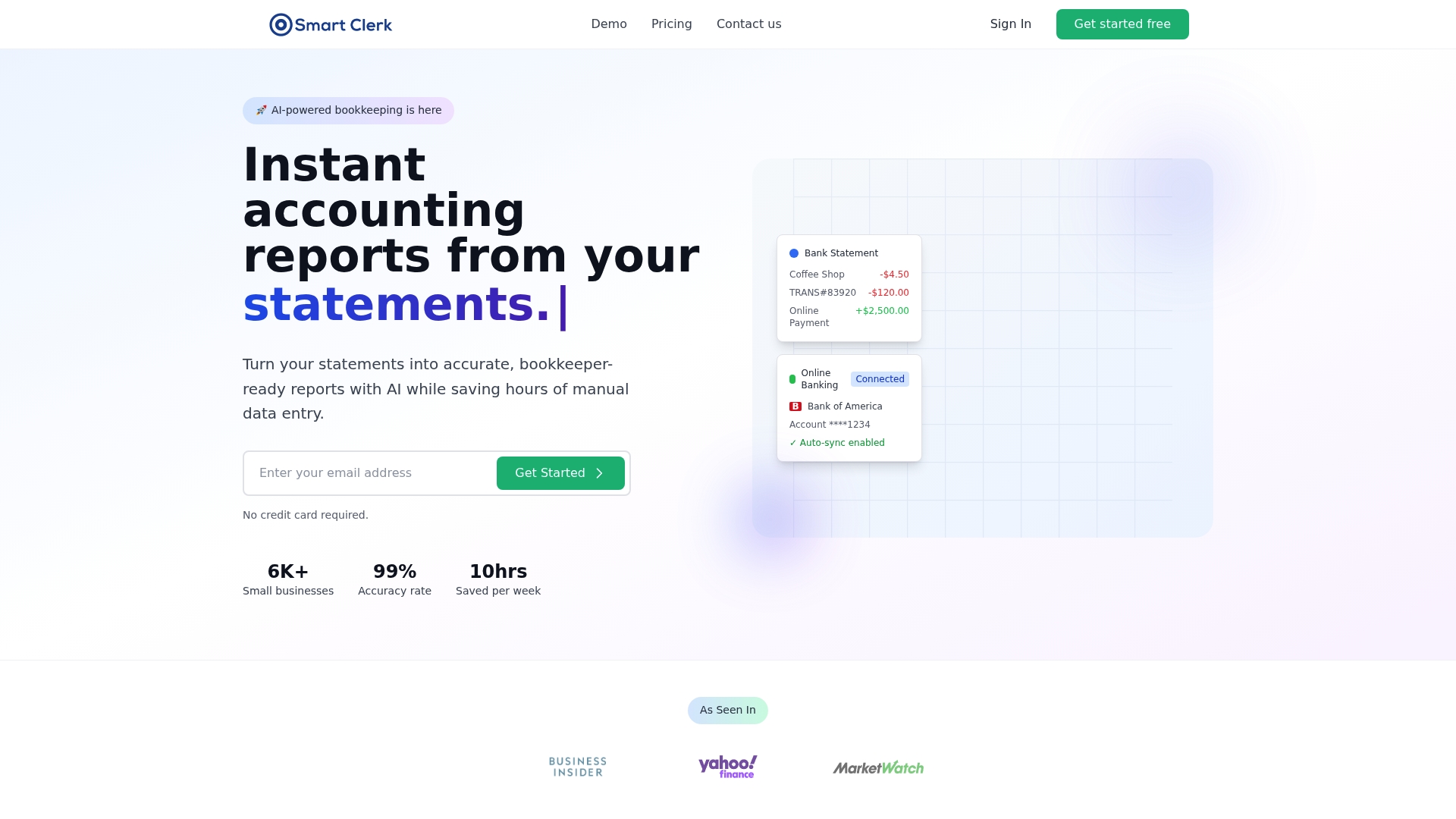
Smart Clerk reports that its AI automatic transaction categorization reaches 99% accuracy. The platform accepts bank statement uploads in any format and claims direct connections to thousands of US and Canadian banks. It uses real-time bank feeds and read-only connections with bank-level encryption to keep books current.
Core Features
Smart Clerk performs automatic transaction categorization, accepts uploads of any bank or credit card statement format, and maintains live bank feeds so books update continuously. The product generates tax-ready financial reports such as profit and loss statements and balance sheets while offering vendor consolidation and reconciliation tools. Secure data handling and access controls protect sensitive account information during transfers and storage.
Key Differentiator
That accuracy claim combined with wide format support sets Smart Clerk apart. Few competitors advertise the same level of automatic categorization while also handling statement formats from any country.
Pros
The vendor reports average time savings of 10 hours per week for typical small business users. Smart Clerk offers high categorization accuracy and supports multiple and unlimited bank accounts on higher plans, which simplifies bookkeeping across several business entities. Its user interface requires no accounting knowledge, and the platform works with standard bank connections and statement uploads to reduce manual entry.
Cons
- Limited detail about how the AI learns from corrections or allows custom category rules.
- Pricing may be a barrier for very small or new businesses at higher tiers.
- Limited disclosure about support for very complex or niche accounting scenarios.
When It May Not Fit
Smart Clerk may not fit companies that need highly customized accounting rules or complex inventory management. Businesses requiring advanced cost accounting, multi-entity consolidation, or specialized tax workflows will likely need a dedicated accountant or a different platform. Larger firms with bespoke integrations may find the product too focused on automated, standard bookkeeping.
Who It's For
Small business owners, contractors, and accounting firms that want automated bookkeeping and near real-time financial statements will benefit most. The tool suits users who prefer minimal bookkeeping overhead and who manage multiple bank or credit card accounts. It fits teams that do not require heavy customization or complex inventory features.
Real World Use Case
A contractor connects live bank feeds and uploads past statements to Smart Clerk. The platform categorizes expenses automatically, tracks job costs and subcontractor payments, and produces ready-to-file profit and loss reports. That setup reduces manual reconciliation work and gives faster visibility into cash flow.
Pricing
Plans start at $29/month for the Growth plan and $49/month for the Professional plan. A free trial is available so you can test categorization accuracy and bank connectivity before committing to a paid tier.
Website: https://smartclerk.ai
Puzzle
At a Glance
According to the company, an accounting firm automated bookkeeping for more than 50 clients, and cut month-end close time by 50%. Puzzle centers on continuous updating of books, so balances stay current. The vendor positions the product for accounting firms, startups, and SMBs using modern finance tools.
Core Features
Puzzle uses AI to categorize transactions and perform reconciliation while keeping a single ledger that supports cash and accrual accounting. The platform runs AI agents to automate month end close tasks and maintains real time dashboards and financial insights. It also offers automated import from legacy systems like QuickBooks and traceability so every AI action can be reviewed and edited.
Key Differentiator
Puzzle relies on an agent native architecture that automates accounting workflows while preserving human review controls. The platform highlights Governed Automation to make each automated action inspectable and editable by accountants. That architecture targets multi client practices that need automation without losing auditability.
Pros
Puzzle speeds up month end close and reconciliation by automating routine bookkeeping tasks, which frees staff for higher value work. The platform supports native connections to modern finance tools, so payment and payroll sources feed into the ledger continuously. The vendor advertises SOC 2 compliance, which it uses to emphasize enterprise security controls and multi client scalability.
Cons
- May require a learning curve for traditional accountants who rely on manual ledgers and legacy workflows.
- Buyer should plan for integration setup and training when connecting large legacy systems or complex charts of accounts.
- External reviews and independent performance audits are not included in the product data and some claims are vendor reported.
When It May Not Fit
If your firm depends on decades old desktop accounting workflows, adapting to agent driven automation may slow onboarding. Large enterprises with bespoke legacy integrations should plan custom migration work before committing. Teams in locations with unreliable internet or limited vendor support could face interruptions when the platform needs live connectivity.
Notable Integrations
Puzzle lists native integrations with Stripe, Ramp, Brex, Mercury, and Gusto. These connections bring payment processor, corporate card, bank, and payroll data into the platform. The integrations aim to reduce manual imports and speed reconciliation for modern finance stacks.
Who It's For
Accounting firms managing multiple clients who want to reduce manual bookkeeping effort will find Puzzle relevant. Startups and SMBs that use Stripe, Brex, Ramp, Mercury, or Gusto benefit from continuous financial updates. Teams that require traceability of automated actions and enterprise grade controls are the best fit.
Real World Use Case
The vendor gives an example of an accounting firm automating bookkeeping and reconciliation for more than 50 small business clients. That example says month end close time fell by half, and clients gained access to live dashboards. Firms using that model reassign bookkeeping hours to advisory work and faster reporting.
Pricing
Pricing is not publicly listed. Visit the vendor site or contact sales for plan details and implementation pricing. Small firms should budget for onboarding and any custom integration work.
Website: https://puzzle.io
Comparison of alternatives
Peregrine excels in delivering integrated real-time financial insights through direct QuickBooks Online connectivity, setting it apart as a tool tailored for small businesses aiming to enhance cash flow visibility and compliance monitoring.
Integration and Workflow Optimization
Among the reviewed platforms, Peregrine stands out due to its integration with QuickBooks Online, allowing continuous updates tied to live ledger data. This feature supports advisory firms and owner-operators by reducing the overhead associated with manual reconciliation processes. In comparison, Digits and Docyt emphasize transaction categorization and broad multi-entity reconciliation respectively; however, they require additional technical and operational setup not dictated by live ledger integration.
Accessibility for Freelancers and Small Business Owners
Tabby's mobile-first approach specifically caters to freelancers and self-employed professionals with limited accounting knowledge, simplifying the process of tracking, categorizing, and reporting expenses directly through a smartphone. Smart Clerk supports small business owners with near real-time financial updates and automatic categorization, offering significant time savings. While Puzzle delivers governed automation tailored for firms managing multiple clients, its setup is best suited for modern finance stacks.
Best fit
- Finance teams reliant on QuickBooks Online seeking integrated ledger workflows and real-time KPI tracking should consider Peregrine.
- Freelancers needing mobile-first bookkeeping with intuitive deduction tracking will benefit from Tabby.
- Accounting firms managing diverse clients requiring governed automation and auditability should evaluate Puzzle.
- Operators of multi-location retail or hospitality businesses desiring continuous reconciliation across industry-specific dashboards will find Docyt useful.
- Small businesses aiming for time savings via accurate transaction categorization across multiple accounts can explore Smart Clerk.
Our pick
Peregrine provides the most solution for small businesses and advisory firms integrating QuickBooks Online. Its direct ledger connectivity reduces reconciliation delays and supports proactive financial decision-making through real-time data visibility. Businesses not utilizing QuickBooks Online or requiring extensive mobile-first workflows might explore alternatives such as Tabby or Docyt.
Choose the optimal AI bookkeeping software based on direct integration and feature breadth.
| Product | Key Differentiator | Best For | Pricing | Notable Limitation |
|---|---|---|---|---|
| Peregrine | Live QuickBooks Online integration | Finance teams and advisory firms managing clients | Price not published | Limited public onboarding details |
| Digits | AI-native general ledger design | Startups and SMBs needing ledger automation | See Pricing | High setup complexity for non-technical users |
| Docyt | Industry-focused real-time reconciliation | Hospitality, retail, and food service firms | Starts at $299/month | High learning curve for basic bookkeeping users |
| Tabby | CPA-designed rules for deductions | Freelancers and gig workers | Free for up to 15k expenses annually, paid plans from $29/month | Limited customization for intricate accounting |
| Smart Clerk | Universal statement format support | Contractors and teams requiring minimal setup | Starts at $29/month | Pricing tiers may deter small or new businesses |
| Puzzle | Governed automation with human review | Accounting firms managing multiple clients | Price not published | Adaptation barrier for legacy desktop workflows |
How Can AI Bookkeeping Software Reduce Manual Work and Improve Financial Forecasts?
Many finance teams, business owners, and accounting firms struggle with time-consuming month-end closes and unclear cash flow forecasts. Peregrine takes QuickBooks Online data and turns it into a live financial command center. It delivers CFO-level insights by automating month-end closing tasks, providing 13-week rolling cash flow forecasts, and surfacing alerts about anomalies and covenants.
Key benefits of Peregrine include:
- Real-time visibility into revenue and expenses
- Reduced manual entries and reconciliation work
- Easy plain-English questions for quick answers
See how Peregrine can accelerate your financial workflows and get clearer cash flow forecasts without adding headcount.
Find out how your advisory firm or finance team can cut close cycles and monitor compliance more effectively with Peregrine’s built-in multi-tenant controls and live KPI dashboards.
FAQ
What unique features does Peregrine offer for cash flow forecasting?
Peregrine produces 13-week rolling cash flow forecasts with manual overrides, allowing users to adjust predictions as needed. This feature utilizes live data directly from QuickBooks Online, enabling real-time updates and reducing reconciliation work. Finance teams can expect to have accurate forecasts tied directly to their live financial data.
How does Digits differ from Peregrine in terms of bookkeeping automation?
Digits excels in automating bookkeeping workflows by using machine learning to classify transactions. This feature streamlines month-end close and reconciliations, making it highly efficient. In contrast, Peregrine's strength lies in leveraging QuickBooks Online data for cash flow forecasts and KPI tracking, making it ideal for teams needing CFO-level insights directly from their accounting software.
Can I use Peregrine if I need to monitor debt compliance?
Yes, Peregrine includes support for tracking covenant and debt compliance metrics. This ensures finance teams can maintain oversight of financial obligations efficiently. Users looking for a tool that integrates these compliance features alongside cash flow forecasting will find Peregrine highly beneficial.
What advantages does Docyt provide over Peregrine?
Docyt offers AI-powered real-time reconciliation specifically designed for industries like hospitality and retail. While Peregrine focuses on broader cash flow forecasting and month-end automation, Docyt's targeted features cater to continuous processes in specific sectors, providing faster revenue gap detection.
How does the multi-tenant architecture in Peregrine benefit advisory firms?
Peregrine's multi-tenant architecture allows advisory firms to maintain client data isolation while offering the ability to view consolidated metrics across multiple clients' accounts. This design supports privacy and compliance while enabling effective monitoring of clients' financial health.