
The seven financial reporting best practices that matter most right now: centralize your data, automate ingestion and reconciliation, standardize your chart of accounts, enforce continuous ICFR controls, write plain-English disclosures, run anomaly detection in the reporting pipeline, and follow a reproducible month-end checklist. Teams that implement all seven consistently produce audit-ready statements faster and with fewer errors than those relying on manual processes.
The short version:
- Centralize data in one source of truth (QuickBooks Online as the ledger of record)
- Automate ingestion and reconciliation at the point of entry, not after the fact
- Standardize the chart of accounts so every period is comparable
- Enforce ICFR controls continuously, not just at year-end
- Write plain-English footnotes that are decision-useful, not just compliant
- Run anomaly detection inside the reporting pipeline to catch issues early
- Follow a month-end checklist with assigned owners and hard deadlines
TL;DR: Automation can reduce year-end close times by 30–50% and improve data accuracy to 99%+ through automated reconciliation and validation. That is the operational case for building an AI-first reporting workflow.
Table of Contents
- What your core financial statements must actually show
- GAAP alignment and plain-English disclosure guidance
- Internal controls and month-end process: making close predictable
- How AI and QuickBooks Online integrations cut risk and close time
- KPIs, dashboards, and reporting cadence
- Common pitfalls auditors and investors flag immediately
- A reproducible month-end checklist your team can use today
- Preparing financials for investors and lenders
- Key Takeaways
- Why continuous automation changes the reporting equation
- Peregrine brings this entire workflow into QuickBooks Online
- Authoritative sources and further reading
What your core financial statements must actually show
ASC 205 requires a full set of statements covering financial position, earnings, comprehensive income, cash flows, and owner transactions, with comparative periods presented wherever practical. Every number in those statements must trace back to a reconciled sub-ledger. That single requirement drives most of what follows.
Income statement: Revenue by category, cost of goods sold, gross margin, operating expenses broken out by function, and net income. If you use QuickBooks Online class tracking, those classes should map directly to your P&L line items.
Balance sheet: Current and non-current assets, current and long-term liabilities, and equity. A/R and A/P balances must agree to their aging reports. Fixed assets must match the depreciation schedule.
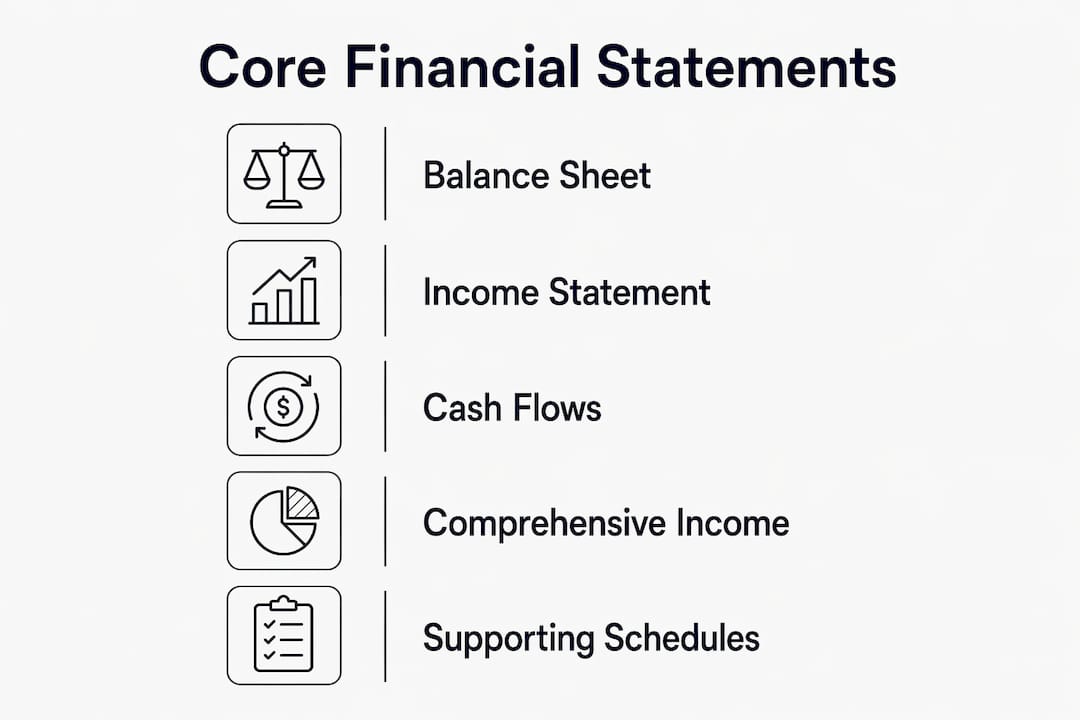
Cash-flow statement: Operating, investing, and financing activities presented using either the direct or indirect method. The ending cash balance must tie to the bank reconciliation.
Supporting schedules are where auditors spend most of their time:
- A/R aging (current, 30, 60, 90+ days)
- Fixed-asset rollforward (additions, disposals, depreciation)
- Payroll reconciliation (gross wages to tax filings)
- Prepaid and accrual schedules
Each schedule should pull from a single QuickBooks Online sub-ledger, not a manually assembled spreadsheet. That single-source discipline is what makes AI processing reliable.
Pro Tip: Keep every supporting schedule in a machine-readable format (CSV or structured Excel, not PDFs). Peregrine and similar AI tools can ingest and validate structured files automatically; scanned PDFs require manual re-entry and introduce errors.
GAAP alignment and plain-English disclosure guidance
US companies must follow GAAP, and effective footnote disclosures should use plain English and focus on decision-useful information. Extensive footnote detail increases costs for preparers and investors without improving understanding.
The disclosure areas auditors and lenders check first:
- Accounting policy summary: Revenue recognition method (ASC 606), inventory costing, depreciation method
- Contingencies: Pending litigation, warranties, guarantees
- Subsequent events: Material transactions after the balance-sheet date (ASC 855)
- Related-party transactions: Loans to owners, management fees, intercompany sales (ASC 850)
- Revenue recognition highlights: Performance obligations, variable consideration, contract assets
A plain-English revenue recognition note might read: "The company recognizes revenue when software access is provided to the customer, typically on the subscription start date. Variable fees based on usage are recognized in the month incurred." That is more useful than three paragraphs of ASC 606 citations.
You can benchmark disclosure quality against sector peers to confirm your footnotes meet investor expectations without over-disclosing.
Pro Tip: Write each footnote for the reader who will make a credit or investment decision, not for the auditor who will check compliance. If a policy note requires a second read to understand, shorten it.
Internal controls and month-end process: making close predictable
ICFR is an ongoing, iterative requirement, not an annual checkbox. Control design should start at transaction initiation so misstatements are prevented rather than caught at period-end. For QuickBooks Online users, the COSO framework translates into five practical control points:
| Control Point | What to Document | Automation Opportunity |
|---|---|---|
| Transaction initiation | Approval policy, dollar thresholds | Auto-flag transactions above threshold |
| Authorization | Dual-approval for journal entries | Role-based access in QuickBooks Online |
| Reconciliation | Bank, A/R, A/P tie-outs | Continuous reconciliation at ingestion |
| Journal-entry posting | Rationale required for every manual entry | AI-generated rationale, versioned audit trail |
| Reporting | Variance sign-off before distribution | Automated variance commentary |
Month-end control checklist:
- Lock the prior period in QuickBooks Online before starting close
- Reconcile all bank accounts to statement balances
- Confirm A/R aging matches the general ledger
- Post all accruals with supporting documentation
- Review and approve every manual journal entry with a written rationale
- Run a trial balance and compare to the prior period for unexplained variances
- Distribute draft financials to reviewers with a 48-hour sign-off window
Automate reconciliations wherever the data flows directly from a bank feed or payroll integration. Manual reconciliation of high-volume accounts is where errors accumulate.
How AI and QuickBooks Online integrations cut risk and close time
Automation and AI materially shorten close times and improve accuracy when integrated into the data pipeline from the start. The workflow looks like this: QuickBooks Online captures transactions → an integration layer validates and categorizes at ingestion → Peregrine's AI engine runs continuous reconciliation and anomaly detection → dashboards and audit trails update in real time.
Specific automation patterns that reduce manual work:
- Ingest at source: Bank feeds and payroll integrations push data into QuickBooks Online automatically, eliminating manual entry for recurring transactions
- Validate at ingestion: Rules check for duplicate entries, miscategorized accounts, and missing cost centers before data reaches the ledger
- Continuous reconciliation: Rather than a monthly reconciliation sprint, exceptions surface daily so nothing accumulates
- Anomaly detection: AI-powered anomaly detection significantly reduces false positives and cuts investigation time compared with rule-based controls, offering high detection accuracy for unusual patterns.
- Plain-English explanations: AI generates human-readable rationale for flagged items, which auditors can review without needing to interpret raw data
Implementation timelines vary: foundational automation typically takes 3–6 months, with full transformation requiring 6–12 months. Start with the highest-volume reconciliations first.
Pro Tip: Choose AI tools that provide explainability for every flagged item. An anomaly flag with no rationale creates more audit work, not less. Peregrine generates plain-English explanations that auditors can read directly.
KPIs, dashboards, and reporting cadence

Use a small set of actionable KPIs per cadence and automate them from source data. Centralizing data and enabling self-service reporting turns finance from a reactive number-puller into a strategic partner.
Monthly KPIs: Cash runway, gross margin %, A/R days outstanding, operating expense ratio, and revenue vs. budget variance. These should update automatically from QuickBooks Online.
Quarterly KPIs: Revenue recognition rollforward, covenant compliance metrics (debt service coverage, leverage ratio), and headcount cost per revenue dollar.
Annual KPIs: Comprehensive income, material variance analysis, and working capital trend.
| Cadence | Primary Audience | Delivery Format |
|---|---|---|
| Monthly | Management team | Dashboard + one-page summary |
| Quarterly | Board, lenders | Board pack with variance narrative |
| Annual | Investors, auditors | Full GAAP financials + footnotes |
Dashboard design: use role-based access so lenders see covenant metrics and managers see operational KPIs. Set alert thresholds on cash runway and A/R aging so the team acts before a problem becomes a crisis. Every KPI should drill down to the source transaction in QuickBooks Online. For deeper context on strategic finance metrics, the link covers how to shift reporting from historical to forward-looking.
Common pitfalls auditors and investors flag immediately
The most common red flags: late reconciliations, unexplained manual journal entries, inconsistent accounting policy application across periods, and missing audit trails. Auditors find these through reconciliation gap analysis, large-journal-entry testing, and revenue-timing analytics.
- Late reconciliations signal weak controls. Fix: reconcile continuously, not monthly.
- Unexplained adjustments invite scrutiny. Fix: require a written rationale for every manual journal entry before posting.
- Policy inconsistency (e.g., switching depreciation methods without disclosure) triggers restatement risk. Fix: document policies in writing and review them annually.
- Missing audit trails make it impossible to trace a number back to its source. Fix: use versioned records and never delete transactions in QuickBooks Online.
Revenue timing is the area investors scrutinize hardest. If revenue spikes in the last week of a quarter without a corresponding increase in cash collections or contract activity, expect questions. Continuous anomaly detection catches these patterns before they reach the auditor.
A reproducible month-end checklist your team can use today
A consistent month-end process, followed every cycle, produces audit-ready statements without heroics. Here is the checklist, with owners and timing:
- T+1 (Day after month-end) — Finance lead: Lock the prior period in QuickBooks Online. Download bank statements for all accounts.
- T+1 — Automated (Peregrine/integration): Run bank reconciliation and flag unmatched transactions. Generate A/R aging report.
- T+3 — Staff accountant: Post all accruals (payroll, prepaid amortization, depreciation). Document each with a supporting schedule.
- T+3 — Finance lead: Review and approve all manual journal entries. Reject any without written rationale.
- T+7 — Finance lead: Run trial balance. Compare to prior period. Investigate variances above a defined threshold (e.g., 10% or $5,000, whichever is larger).
- T+7 — Automated (Peregrine): Generate variance commentary and anomaly report. Flag items for human review.
- T+10 — Controller/CFO: Review draft financials and variance narrative. Approve for distribution.
- T+15 — Finance lead: Distribute final financials to management, board, or lenders per cadence schedule.
Steps 2, 6, and portions of step 5 are where month-end close automation replaces manual work most directly. Paste this checklist into your SOP and assign owners before the next close.
Preparing financials for investors and lenders
Lenders and investors want reconciled statements, clear covenant calculations, and plain-English narratives explaining variances and forecasts. A financial package that requires follow-up questions is a package that slows down a deal or a credit decision.
Presentation structure:
- Executive summary: one page, key metrics, period-over-period comparison
- Core financials: income statement, balance sheet, cash-flow statement with comparative periods
- Variance narrative: written explanation of material changes (revenue, margin, operating expenses)
- Supporting schedules: A/R aging, fixed-asset schedule, debt schedule with covenant calculations
- Forecast: 12-month cash-flow projection with assumptions stated explicitly
Due-diligence checklist lenders typically request:
- 3 years of GAAP financials (or since inception if younger)
- Bank statements for the last 12 months
- A/R aging and customer concentration analysis
- Payroll reports and headcount by department
- Fixed-asset schedule with depreciation detail
- Covenant compliance certificate (if applicable)
Automation simplifies assembly significantly. When reconciliations run continuously and supporting schedules update from QuickBooks Online sub-ledgers, pulling a due-diligence package takes hours rather than days. Sector benchmark data helps you contextualize your KPIs against industry peers before presenting to investors.
Key Takeaways
Consistent financial reporting best practices, applied every month, produce audit-ready statements that reduce close time, lower audit friction, and give lenders and investors the clarity they need to act.
| Point | Details |
|---|---|
| Automate reconciliation first | Continuous reconciliation at ingestion cuts manual errors and can reduce close time by 30–50%. |
| ICFR is continuous, not annual | Design controls at transaction initiation; document every manual journal entry with a written rationale. |
| Plain-English disclosures win | Write footnotes for the decision-maker, not the auditor; focus on policy, contingencies, and revenue recognition. |
| Use a cadenced KPI set | Monthly, quarterly, and annual KPIs should auto-populate from QuickBooks Online and trigger alerts at defined thresholds. |
| Peregrine automates the checklist | Peregrine handles bank reconciliation, anomaly detection, variance commentary, and audit trails directly from QuickBooks Online. |
Why continuous automation changes the reporting equation
Most finance teams treat month-end close as a sprint. They know it is coming, they brace for it, and they push through it. The problem is that a sprint model means errors accumulate for 30 days before anyone looks. By the time the reconciliation runs, the trail is cold and the fixes are painful.
The teams that get this right treat close not as an event but as a state. Reconciliations run daily. Anomalies surface in real time. When the calendar hits month-end, there is nothing left to find. The close becomes a confirmation, not an investigation.
The checklist in this article is not a one-time fix. It is a living playbook. The first month you run it, you will find gaps. The second month, fewer. By month three, the manual steps that remain are the ones that genuinely require human judgment, and everything else is automated. That is the goal: a process where the humans do the thinking and the machines do the counting.
Peregrine brings this entire workflow into QuickBooks Online
CFO-grade reporting without a full-time CFO hire is exactly what Peregrine delivers for QuickBooks Online users. It connects directly to your QuickBooks Online account and automates the steps that consume the most time: bank reconciliation, anomaly detection, variance commentary, and audit-trail generation.
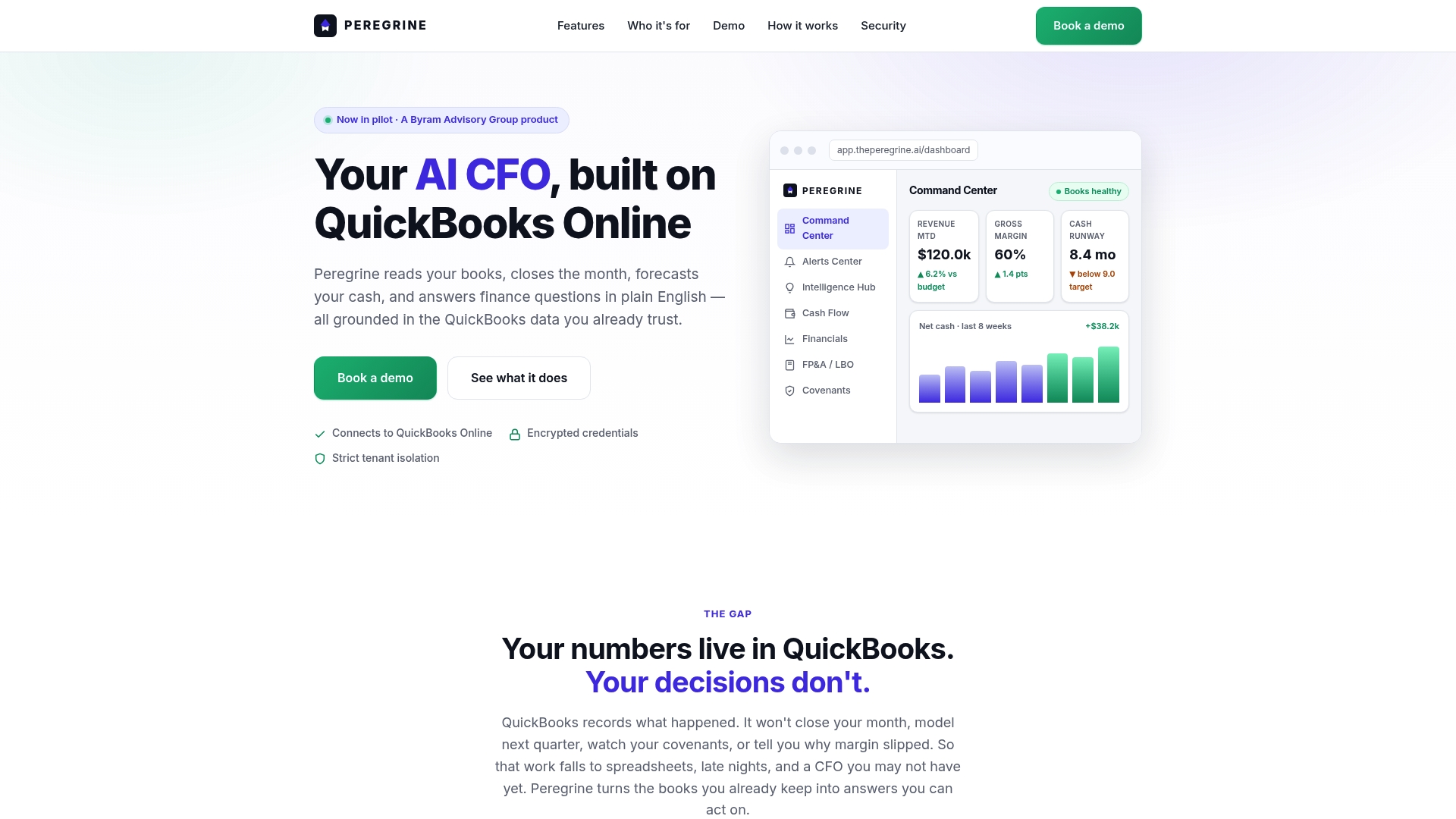
Specific features that implement the practices in this article:
- Continuous reconciliation: Flags unmatched transactions at ingestion, not at month-end
- Anomaly detection with explainability: Surfaces unusual patterns and generates plain-English rationale auditors can read directly
- Automated variance commentary: Produces written narrative for every material change, ready for board packs or lender packages
- Role-based dashboards: Management, board, and lender views with drill-down to source transactions
- Versioned audit trails: Every entry, change, and approval is logged and timestamped
Start your 14-day free trial at Peregrine and connect your QuickBooks Online account in minutes.
Authoritative sources and further reading
- Financial statement presentation (PwC) — Practical ASC 205–280 guidance on presentation and disclosure requirements; the standard reference for US GAAP financial statement structure.
- Handbook: Internal control over financial reporting (KPMG) — In-depth COSO-based ICFR framework with design and operating effectiveness guidance for finance teams.
- 8 Financial Reporting Best Practices (Vantage Point) — Practitioner-focused automation benchmarks including close-time reduction ranges and anomaly detection accuracy figures.
- 6 Best Practices for Financial Reporting and Analysis (Citrin Cooperman) — Covers the four C's of data quality (correct, current, complete, consistent) and essential report types.
- Financial Management Reporting overview (Workday) — Context on self-service reporting and centralizing data for strategic finance functions.
- Accounting and Financial Reporting Best Practices (GFOA) — Authoritative guidance on audit committees, auditor procurement, and internal audit functions.
- KPMG Handbook: Financial statement presentation — Detailed Q&As on ASC 205–280 and SEC disclosure requirements, updated September 2025.