
Accounting automation is the practice of using software and intelligent technologies to replace manual, repetitive accounting tasks, freeing finance teams to focus on analysis and decisions that actually move the business forward. At its core, it covers everything from capturing invoices with Optical Character Recognition (OCR) to running AI-driven anomaly detection across your general ledger. Finance professionals spend 60–80% of their time on manual, repetitive tasks today. Automation can cut that burden by 70–90%.
The shift is not just about speed. It is about what your team does with the time they get back.
Key components of accounting automation include:
- Robotic Process Automation (RPA): Executes rule-based tasks like data entry, reconciliations, and report generation without human input
- Artificial Intelligence (AI) and Machine Learning: Classifies transactions, flags anomalies, and learns from historical patterns to improve over time
- OCR and Intelligent Document Processing (IDP): Extracts structured data from invoices, receipts, and contracts, turning paper into usable records
- Workflow orchestration: Connects isolated tasks into end-to-end processes that span systems and teams, cutting handoffs and delays
- Real-time dashboards and alerts: Surface financial insights the moment data changes, rather than waiting for month-end reports
What core technologies power accounting automation?
Three technology layers work together to make financial process automation possible, and understanding each one helps you choose the right tools for your situation.
Robotic Process Automation (RPA)
RPA handles the mechanical, rule-based work: copying data between systems, matching line items, generating standard journal entries. It does not think. It follows instructions exactly, which makes it fast and consistent for high-volume, low-variation tasks. The limitation is that RPA breaks when the rules change or exceptions appear, so it needs a human backstop for anything outside its defined parameters.

AI and machine learning
Where RPA follows rules, AI writes new ones based on data. Machine learning models learn from your transaction history to classify expenses, predict cash flow, and flag entries that look wrong before they hit your statements. AI proactively identifies anomalies, duplicate payments, and fraud risks before they affect financial statements. That is a fundamentally different capability than rule-based automation.

OCR and Intelligent Document Processing
OCR converts scanned invoices and receipts into machine-readable text. Intelligent Document Processing goes further, using AI to understand the context of what it reads: vendor name, line-item amounts, payment terms, and GL coding suggestions. Together, they eliminate the manual keying that consumes accounts payable teams.
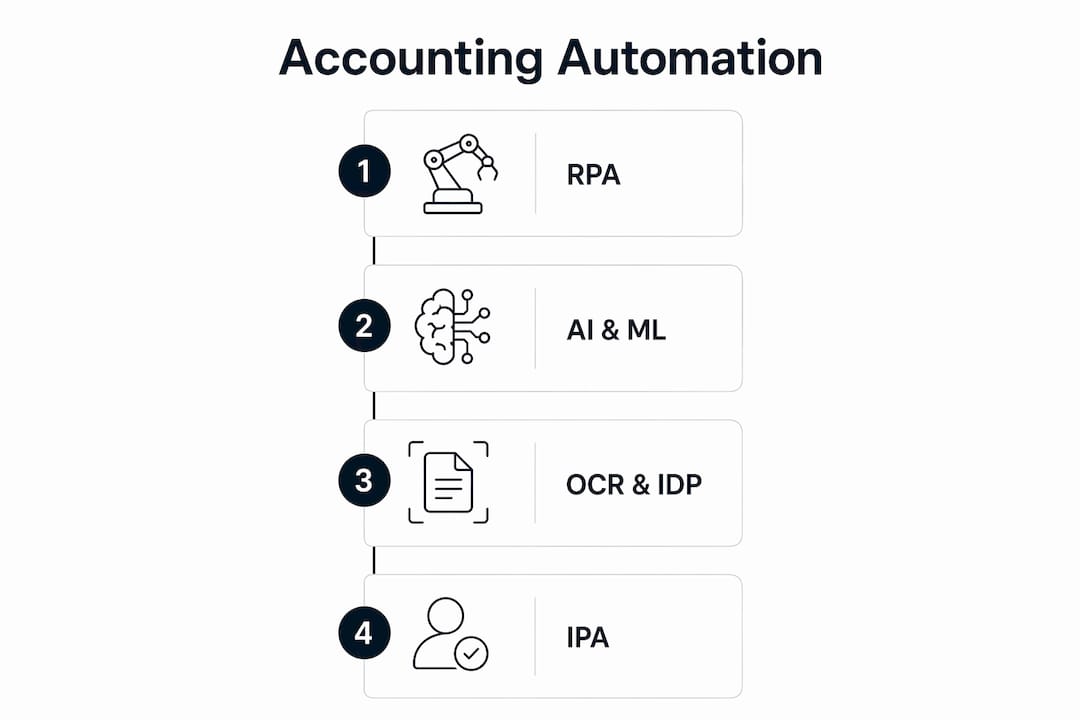
Intelligent Process Automation (IPA)
IPA combines AI with workflow orchestration to create systems that can predict outcomes and adapt to changing conditions, like updated tax rules or new client requirements. It represents the current frontier of automation in accounting, moving beyond static rule sets toward genuinely dynamic decision support.
Key capabilities these technologies enable:
- Automated three-way matching across purchase orders, receipts, and invoices
- Real-time GL coding and classification suggestions
- Exception routing to the right approver based on transaction type and amount
- Continuous reconciliation rather than batch processing at period end
- Audit trails generated automatically at every step
Which accounting tasks are the best candidates for automation?
Not every accounting task is equally suited to automation. The best candidates share three traits: high volume, clear rules, and low tolerance for error.
Accounts payable is typically the first place teams automate, and for good reason. Invoice capture, three-way matching, approval routing, and payment runs are all rule-driven and time-consuming. Automated AP solutions cut processing time drastically while substantially increasing the capture of early payment discounts.
Accounts receivable benefits from automated invoice delivery, payment reminder sequences, and cash application. When a payment hits your bank, automated cash application matches it to the open invoice and closes the item without anyone touching it manually.
Expense management is another high-return area. Receipt scanning with OCR and machine learning handles data extraction, while policy rules flag out-of-policy submissions before they reach an approver. This speeds reimbursements and reduces the back-and-forth that frustrates employees.
Bank and credit card reconciliation runs continuously when automated, matching transactions as they post rather than in a batch at month end. Exceptions get flagged for human review; everything else clears automatically.
Month-end close pulls all of these together. Automating reconciliations, accruals, and close checklists can cut close time from 15+ days to as few as 3–5 days. The IMA found the average close takes seven days, with only 20% of finance professionals satisfied with that process. Automation is the most direct path to changing both numbers.
Pro Tip: Sequence your automation rollout starting with AP, then AR, then reconciliations, then month-end close. Each layer builds on the data quality improvements from the previous one.
What are the real benefits of automating your accounting processes?
The benefits of automation in accounting fall into four categories: speed, cost, accuracy, and strategic capacity.
Speed is the most visible. Month-end close cycles shrink. AP processing times drop from weeks to days. Finance teams get financial statements faster, which means leadership makes decisions based on current data rather than last month's numbers.
Cost reduction is measurable at the invoice level. Manual invoice processing can be costly, while automated processing reduces cost and error rates significantly. At scale, those savings add up quickly.
Accuracy improves because software does not make transcription errors or forget to apply a rule. AI-powered anomaly detection catches the problems that do slip through, from duplicate payments to entries with implausible dates, before they affect your financial statements.
Strategic capacity is the benefit that compounds over time. When your team is not manually keying invoices or chasing down reconciling items, they have capacity for forecasting, analysis, and advisory work. That shift changes what accounting contributes to the business. For teams exploring what that transition looks like in practice, month-end close automation is often the clearest starting point.
Additional benefits worth noting:
- Centralized, searchable records replace scattered spreadsheets and email chains
- Automated audit trails reduce the time spent preparing for external audits
- Real-time cash flow visibility supports better working capital decisions
- Compliance monitoring runs continuously rather than at quarter end
What challenges should you expect when adopting accounting automation?
Automation does not fix broken processes. It scales them. That is the most important thing to understand before you start.
Automating non-standardized workflows amplifies existing errors and inefficiencies rather than eliminating them. If your AP process has three different approval paths depending on who submitted the invoice, automation will faithfully replicate all three, including the inconsistencies. Process cleanup has to come first.
Exception management is where most automation projects underestimate the work involved. Every automated workflow needs a documented path for transactions it cannot handle. Who gets notified? What is the resolution deadline? What happens if no one responds? Properly managing exceptions separates successful automation from workflows that quietly clog and stall.
The "black box" problem is real. When automation makes a decision, someone needs to be able to explain why. Document your rules, approval thresholds, and logic clearly. Assign ownership to each rule. If an auditor asks why a payment was approved, "the system did it" is not an acceptable answer.
Data security deserves dedicated attention. Automated systems process sensitive financial data at high volume, which makes them attractive targets. Access controls, encryption, and activity logging need to be part of the design, not an afterthought.
Change management is often underestimated. Staff whose roles shift from transaction processing to exception review and analysis need training and clear communication about what the change means for their careers. Resistance to automation is usually a symptom of poor communication, not opposition to efficiency.
Common risks to plan for:
- Automating before standardizing processes
- Insufficient exception handling documentation
- Over-reliance on automation without periodic human review
- Inadequate access controls on automated workflows
- Skipping user training and change management
How to implement accounting automation effectively
Getting automation right is less about picking the right software and more about doing the groundwork before you turn anything on.
-
Map your current workflows in detail. Document every step, every exception path, and every handoff. If you cannot describe a process clearly on paper, you cannot automate it reliably.
-
Prioritize high-volume, rule-driven processes first. AP and AR are the standard starting points because they combine high transaction volume with relatively clear rules. The ROI is faster and the learning curve is lower.
-
Use what you already have. Most ERP systems and accounting platforms have automation features that teams never activate. Audit your current tools before buying new ones. You may already have the capability for QuickBooks integrations and workflow automation sitting unused.
-
Add AI for classification and anomaly detection. Once your rule-based automation is running, layer in AI to handle the judgment calls: GL coding suggestions, duplicate detection, and variance flagging. This is where accuracy gains compound.
-
Build human-in-the-loop workflows for exceptions. Define clear escalation paths. Set response time expectations. Make sure every exception has an owner. Finance leaders must maintain approval hierarchies and exception review to avoid errors and compliance gaps.
-
Measure ROI from day one. Track cycle time, error rate, and cost per transaction before and after automation. These metrics justify further investment and identify where the next automation opportunity lies.
-
Maintain governance documentation. Keep a living system map that shows every automated workflow, the rules it follows, and who owns it. Update it when rules change. This is your defense in an audit and your guide when something breaks.
10 time-saving accounting automation ideas you can implement now
1. Automated invoice capture with OCR
OCR reads incoming invoices, whether PDF, email, or scanned paper, and extracts vendor, amount, date, and line-item data automatically. Machine learning improves coding accuracy over time as it learns your vendor patterns. This alone eliminates the majority of manual AP data entry.
2. Three-way matching for AP processing
Automated three-way matching compares the purchase order, the receiving document, and the vendor invoice in real time. Matched invoices route straight to payment approval. Mismatches flag for human review with the discrepancy highlighted, so your team spends time only on the exceptions that need judgment.
3. Scheduled payment runs
Once invoices are approved, automated payment scheduling groups them by due date and payment method, then executes the run without manual intervention. You capture early payment discounts consistently and eliminate late fees from missed due dates. For teams managing large payee lists, bulk payee verification before payment runs prevents misdirected payments at scale.
4. Digital receipt capture and expense automation
OCR and machine learning extract expense data from receipts with up to 99% accuracy. Policy rules run automatically, flagging out-of-policy items before they reach an approver. Reimbursements process faster, and policy violations drop without anyone having to manually audit every submission.
5. Automated payment reminders and cash application for AR
Reminder sequences go out automatically based on invoice age, escalating in tone as the due date passes. When payment arrives, automated cash application matches it to the open invoice and posts the entry. Your AR team shifts from chasing payments to managing the exceptions that genuinely need a conversation.
6. Continuous bank and credit card reconciliation
Rather than reconciling at month end, automated reconciliation matches transactions as they post throughout the month. By the time close arrives, most items are already cleared. Your team reviews only the unmatched exceptions, which is a fraction of the work of a full manual reconciliation.
7. Auto-posted recurring journal entries and accruals
Prepaid amortization, depreciation, and standard monthly accruals post automatically on schedule. The entries follow predefined templates, so they are consistent every period. This removes one of the most tedious parts of month-end close and reduces the risk of a missed accrual.
8. Intercompany eliminations and revenue recognition
For multi-entity businesses, automated intercompany eliminations match and offset transactions across entities before consolidation. Revenue recognition rules apply automatically based on contract terms, reducing the manual work of ensuring compliance with ASC 606.
9. Real-time dashboards and anomaly alerts
Rather than waiting for a report to be built, automated dashboards pull live data from your accounting system and surface KPIs the moment they change. AI-driven anomaly detection flags unusual transactions, like a vendor payment that is 3x the historical average, before they affect your statements. Tools like Peregrine connect directly to QuickBooks Online to deliver this kind of real-time visibility without requiring a custom build.
10. Intelligent workflow orchestration
The most advanced implementations connect all of the above into a single end-to-end workflow. An invoice arrives, gets captured and coded, matches against the PO, routes for approval, schedules for payment, and posts to the GL, all without a human touching it unless an exception occurs. That is what Intelligent Process Automation looks like in practice.
How does accounting automation change the workforce and required skills?
Automation does not eliminate accounting jobs. It changes what those jobs require. The Bureau of Labor Statistics projects accounting jobs to grow by 4%, adding approximately 67,400 positions from 2022 to 2032, even as automation handles more transactional work.
The shift is from transaction processing to analysis and advisory work. Accountants who previously spent their days keying invoices or running manual reconciliations now spend that time on variance analysis, forecasting, and business partnering. That is a better use of their training and a more valuable contribution to the organization. For a deeper look at what this transition involves, strategic finance roles are increasingly where accounting careers are heading.
The skills that matter most in an automated environment include data literacy, the ability to interpret what automated systems produce and ask the right questions when something looks wrong. Judgment about exceptions, knowing when a flagged transaction is a real problem versus a system quirk, is something no algorithm fully replaces. Communication skills matter more, not less, because accountants are increasingly expected to explain financial data to non-finance stakeholders.
Teams should expect some roles to change significantly. AP clerks doing manual data entry will find their work largely automated. But someone still needs to manage vendor relationships, resolve disputes, and handle the exceptions the system cannot. The job transforms rather than disappears.
What data security and compliance requirements apply to automated accounting systems?
Automated systems process sensitive financial data at high volume and high speed, which creates specific security obligations that manual processes do not have.
Access controls need to be granular. Not every user should be able to trigger a payment run or modify an approval rule. Role-based access, where each user can only see and do what their role requires, is the baseline. Privileged access to automation configuration should be limited to a small number of named administrators.
Audit trails are both a compliance requirement and a security tool. Every automated action, every rule applied, every exception routed, should generate a timestamped log entry that identifies what happened and why. This is what makes automated systems auditable. Without it, you cannot demonstrate to an auditor or a regulator that your controls worked.
Encryption protects data in transit and at rest. Financial data moving between your accounting system, your bank, and any automation layer should travel over encrypted connections. Data stored in cloud-based automation platforms should be encrypted at rest with keys you control or can audit.
Compliance with frameworks like SOC 2, SOX controls for public companies, and IRS recordkeeping requirements does not happen automatically just because you automate. You need to design your automated workflows to meet these requirements from the start, document how they do so, and test the controls periodically. Automation makes compliance easier to maintain consistently, but only if the compliance requirements are built into the workflow design.
How do you measure ROI and KPIs for accounting automation?
ROI from automation is measurable, but you need baseline data before you start. Capture your current cycle times, error rates, and cost-per-transaction figures before turning anything on. Without a baseline, you cannot demonstrate what changed.
The most useful KPIs for automation initiatives fall into three groups:
Efficiency metrics:
- Invoice processing time (days from receipt to payment approval)
- Month-end close cycle time (days from period end to final statements)
- Reconciliation completion rate by day of month
- Time spent on exception handling versus total transaction volume
Accuracy metrics:
- Error rate per 1,000 transactions before and after automation
- Duplicate payment rate
- Late payment rate and associated fees
- Audit finding frequency
Financial metrics:
- Cost per invoice processed
- Early payment discount capture rate
- Staff hours redirected from transactional to analytical work
- Reduction in overtime during close periods
Track these monthly for the first year after implementation. Most teams see the biggest gains in the first 90 days as the obvious manual work disappears. The second wave of improvement comes 6–12 months in, as AI components learn your patterns and exception rates fall. For teams building out their finance technology stack, these KPIs also help prioritize where to invest next.
What future trends will shape accounting automation through 2026 and beyond?
The next wave of accounting automation is already arriving, and it looks different from the rule-based RPA that defined the first generation.
Generative AI for financial analysis lets finance teams ask plain-English questions of their accounting data and get narrative answers, not just numbers. Instead of building a report, you ask "Why did our gross margin drop in Q3?" and the system explains the variance using actual transaction data. This capability is moving from experimental to production-ready quickly.
Agentic AI workflows go further. Rather than waiting for a human to trigger a task, AI agents monitor conditions and act autonomously when defined criteria are met. An agent might detect that a vendor's payment terms changed, update the AP workflow accordingly, and notify the controller, all without a manual trigger.
Predictive close management uses historical close data to forecast where bottlenecks will occur in the current cycle and surface them before they cause delays. Teams that have been automating bookkeeping for a few years are starting to see this kind of predictive capability emerge from their accumulated data.
Continuous accounting replaces the batch-processing model entirely. Rather than accumulating transactions and reconciling at period end, continuous accounting processes and validates every transaction in real time. The month-end close becomes a review and sign-off rather than a scramble to catch up.
Tighter ERP and bank integration reduces the number of manual data transfers that still exist in most finance tech stacks. As APIs between accounting platforms, banks, and payment processors mature, the gaps where manual work currently lives will continue to close.
The direction is clear: automation handles more of the mechanical work, AI handles more of the judgment calls, and accountants focus on the decisions that require human context and experience.
Key Takeaways
Accounting automation delivers the biggest gains when AI, workflow orchestration, and human oversight work together across standardized, well-documented processes.
| Point | Details |
|---|---|
| Start with process cleanup | Automating a broken workflow scales its errors; standardize first, then automate. |
| AP and AR deliver fast ROI | Automated AP cuts processing time drastically while increasing the capture of early payment discounts substantially. |
| Month-end close shrinks dramatically | Automating reconciliations and accruals can cut close time from 15+ days to 3–5 days. |
| Exception handling is non-optional | Every automated workflow needs a documented exception path with a named owner and a resolution deadline. |
| Roles shift, not disappear | Accounting jobs are projected to grow 4% through 2032; automation moves teams from data entry to analysis and advisory work. |
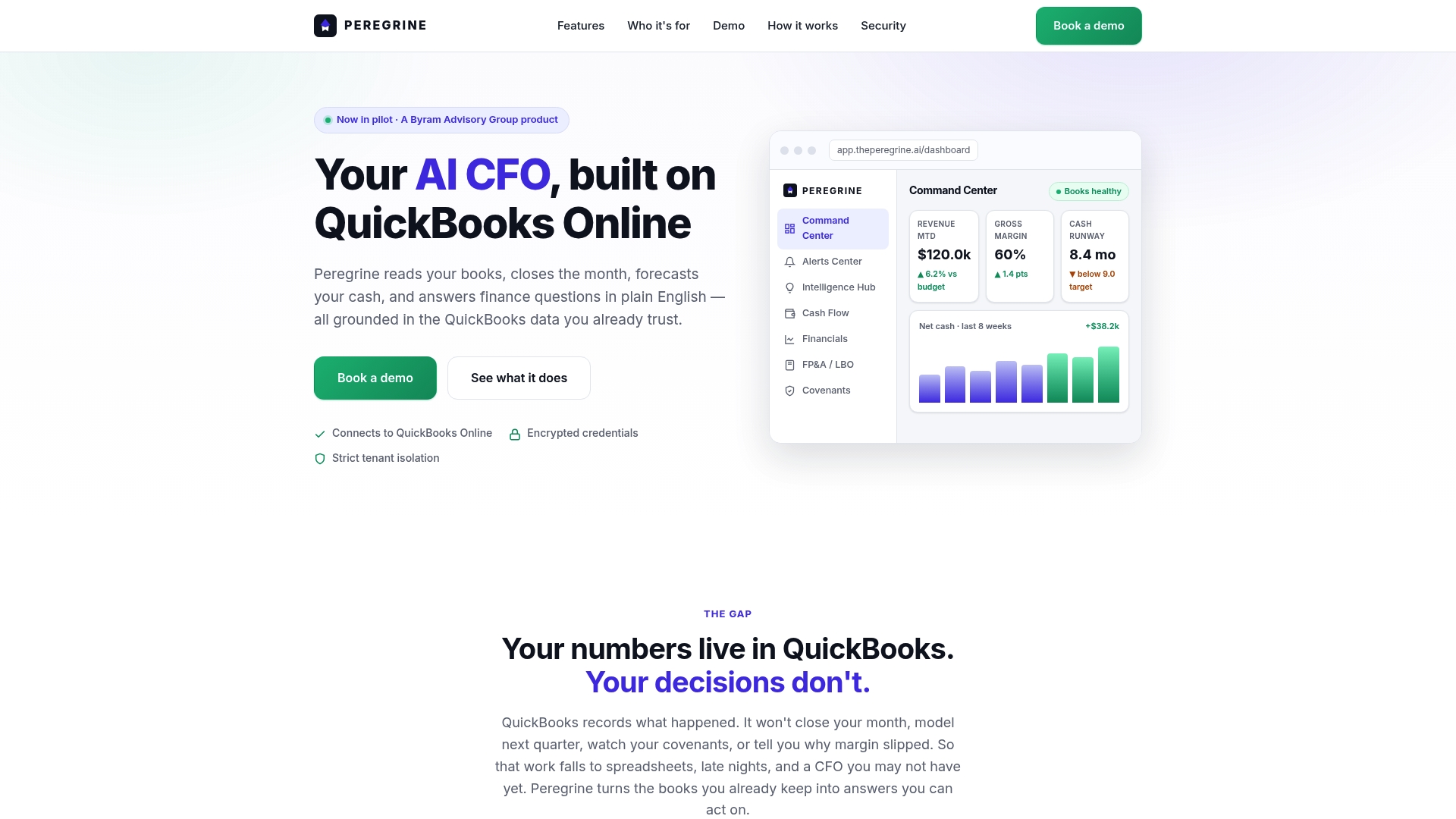
See what Peregrine does for your accounting workflows
Peregrine connects directly to QuickBooks Online and gives your finance team real-time visibility into cash flow, anomalies, and close status without building custom reports or waiting for month-end. The platform handles month-end close automation, cash flow forecasting, and anomaly detection in one place, so your team spends less time on manual work and more time on the decisions that matter.
Start with Peregrine and see how quickly your close cycle and reporting workload change. If you want a structured rollout, the Peregrine implementation guide walks you through connecting your QuickBooks data and activating automation features step by step.