
For small-business finance teams running QuickBooks Online, Peregrine is the clearest choice for AI-enhanced financial management in 2026. It connects directly to your existing QuickBooks data, automates month-end close, and delivers real-time cash flow forecasting and anomaly detection without requiring a full-time CFO.
The bottom line: Peregrine gives QuickBooks Online users CFO-grade visibility through AI-driven forecasting, plain-English financial queries, and automated reconciliation — all in one platform specifically built for small-business finance teams. Start your 14-day free trial to see it working on your actual data.
Table of Contents
- What does financial management software for small business actually do?
- Must-have features in 2026 and how Peregrine delivers them
- How to choose the right financial management platform
- Implementation steps, timeline, and pricing expectations
- Practical use cases and expected ROI for small businesses
- Peregrine in practice: evidence, content assets, and expert references
- What to do next: your trial and validation checklist
- Key Takeaways
- The gap between "accounting software" and real financial management
- Try Peregrine free for 14 days
- Useful sources and further reading
What does financial management software for small business actually do?
The term "financial management software" covers a lot of ground. At the entry level, it means bookkeeping and invoicing. At the level most growing small businesses actually need, it means automated reconciliation, rolling cash flow forecasts, anomaly detection, and board-ready reporting — all pulling from a single source of truth. QuickBooks Online integration is the baseline requirement for any platform serving U.S. small businesses, because that's where the transaction data already lives.
Peregrine sits firmly in the advanced tier. It layers AI-driven FP&A capabilities on top of QuickBooks Online rather than replacing it, which means your existing chart of accounts, classes, and transaction history carry over immediately.
What Peregrine does and who it serves
- Automated bank reconciliation — matches transactions against bank feeds without manual intervention
- Real-time cash flow forecasting — 90-day rolling forecasts updated as transactions post
- Customizable financial reporting — board packs, P&L summaries, and variance reports built from live QuickBooks data
- AI anomaly detection — flags unusual transactions, duplicate charges, and spending spikes before they compound
- Plain-English queries — ask "What's my gross margin this quarter compared to last year?" and get an answer, not a spreadsheet
- Covenant and debt tracking — monitors financial ratios tied to loan agreements
- Role-based access — separate views for owners, finance teams, fractional CFOs, and advisors
Who pays for it: Finance leaders at small businesses, fractional CFOs managing multiple clients, and accounting firms advising QuickBooks Online users. The billing model is per connected QuickBooks Online entity, with tiered seat options. A free trial is available to start using Peregrine with no credit card required.
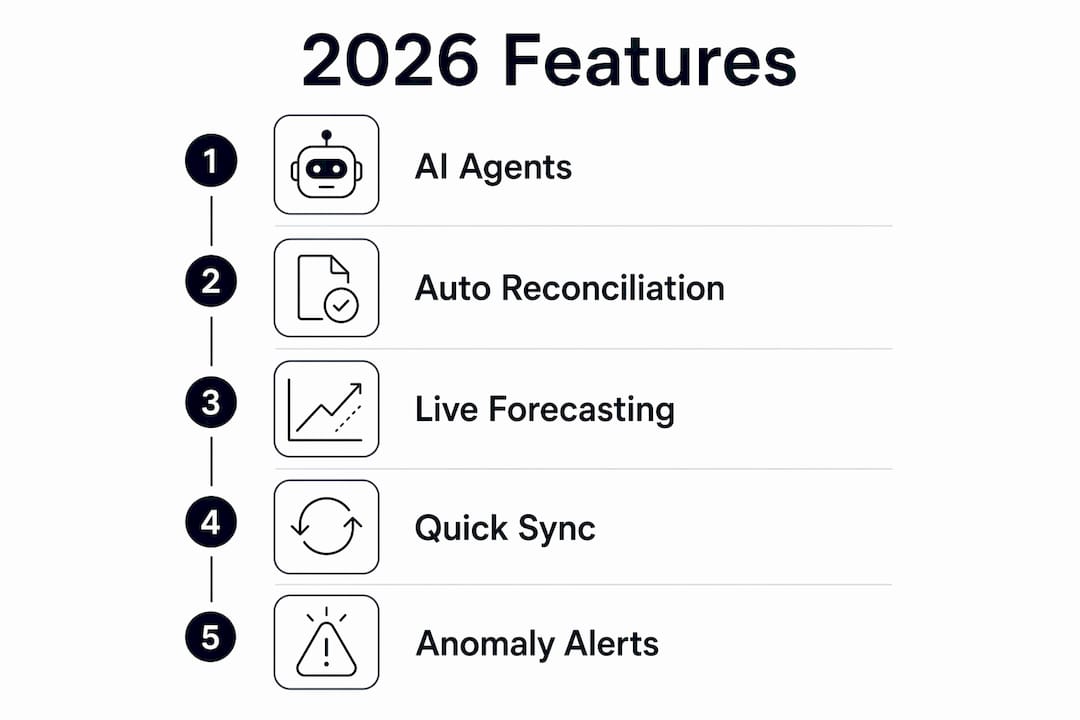
Must-have features in 2026 and how Peregrine delivers them
PCMag's 2026 testing confirms that the current bar for small-business financial tools includes AI agent integrations and advanced reporting — not just basic bookkeeping. The feature set below reflects that standard.

| Feature Category | What to Expect | Value Delivered |
|---|---|---|
| Automated bank reconciliation | Daily sync from QuickBooks bank feeds; auto-match with confidence scoring | Hours saved per month-end cycle |
| Real-time dashboards | Live P&L, cash position, and runway metrics | Instant visibility without manual pulls |
| 90-day scenario forecasting | Best/base/worst-case models updated from live data | Proactive cash management |
| Board-ready reporting | One-click export of formatted board packs | Faster investor and lender communication |
| AI anomaly detection | Flags outliers against historical patterns | Catches errors and potential fraud early |
| Plain-English queries | Natural language interface over your QuickBooks data | Finance insights without SQL or pivot tables |
| Role-based access controls | Granular permissions by user type | Compliance and data security |
QuickBooks documentation highlights bank connections, automated expense matching, and 90-day forecasting as core capabilities — Peregrine extends all three with an AI layer that interprets the data, not just displays it. Finance teams moving from spreadsheet-based FP&A to a Financial OS approach typically find the biggest time savings in reconciliation and report generation.
Pro Tip: During your trial, test anomaly detection by reviewing the flagged transactions list after your first full sync. Then ask a plain-English question about a metric you currently pull manually — if the answer matches your spreadsheet, the AI is reading your data correctly.
How to choose the right financial management platform
The decision comes down to three things: how deeply the platform integrates with QuickBooks Online, whether the AI features are transparent and testable, and whether the pricing scales with your business rather than punishing growth.
Decision checklist
- QuickBooks Online sync is automatic, not manual export/import
- Forecasts update when new transactions post, not on a weekly batch
- Anomaly detection explains why a transaction was flagged
- Role-based access lets you give an advisor read-only access without sharing your login
- Onboarding timeline is published, not vague
- SOC 2 compliance or equivalent security certification is documented
Questions to ask on QuickBooks Online integration
Ask vendors how often data syncs, whether edits made in QuickBooks flow back automatically, how account mapping conflicts are resolved, and whether custom classes and locations are preserved. A platform that requires manual CSV exports is not a true integration — it's a workaround that breaks the moment your bookkeeper changes a category.
Red flags in demos
Watch for demos that use sample data instead of a live QuickBooks connection. If a vendor can't show anomaly detection on real transactions, the feature may be cosmetic. Opaque pricing ("contact us for a quote" for a small-business product) and no published onboarding timeline are also signals worth noting.
PCMag's testing shows modern tools can handle complex financial needs without deep accounting knowledge — so if a demo feels like it requires a CPA to operate, that's a usability problem, not a sophistication feature.
Implementation steps, timeline, and pricing expectations
A typical Peregrine onboarding runs five to seven business days for a single QuickBooks Online entity.
- Discovery (Day 1): Review your QuickBooks chart of accounts, confirm bank feed connections, and identify the three to five reports you need most.
- QuickBooks connection and data mapping (Days 2–3): Connect the QuickBooks Online entity, map accounts and classes, and verify historical data import.
- Verification (Day 4): Run a reconciliation check against your last closed month to confirm data integrity.
- Training (Day 5): Walk through dashboards, forecasting scenarios, and the anomaly detection queue with your finance team.
- Go-live (Days 6–7): Provision roles for advisors and team members, export your first board pack.
On pricing: NerdWallet's editorial surveys show small-business accounting platforms vary widely in price, with promotional trials common across the category. Peregrine's model is per connected QuickBooks Online entity, which keeps costs predictable for businesses with one or two entities and scales for advisory firms managing multiple clients. Specific plan pricing is available on the Peregrine product page.
Practical use cases and expected ROI for small businesses
The clearest ROI cases for AI-enhanced financial management tools fall into five categories:
- Month-end close acceleration: Automated reconciliation cuts the manual matching work that typically consumes two to four days per cycle.
- Cash runway forecasting: A 90-day rolling forecast lets you see a potential shortfall six weeks before it hits, giving you time to act on cash flow improvements rather than react to a crisis.
- Covenant monitoring: Businesses with SBA loans or lines of credit can track debt-service coverage ratios automatically rather than building a monthly spreadsheet.
- Board pack generation: One-click export replaces the two to three hours typically spent formatting reports before investor or lender meetings.
- Anomaly detection: Catching a duplicate vendor payment or an unauthorized subscription before month-end close is faster and cheaper than unwinding it afterward.
A simple ROI frame: if your finance team spends eight hours per month on reconciliation and report prep, and Peregrine reduces that to two hours, you've recovered six hours of skilled labor per month. At a fully loaded rate of $75/hour, that's $450/month in recovered capacity — before counting avoided overdraft fees or improved days sales outstanding from better cash visibility.
Post-implementation, track reconciliation time per cycle, forecasting accuracy against actuals, days sales outstanding, and the number of anomalies detected per quarter.
Peregrine in practice: evidence, content assets, and expert references
Peregrine's product positioning is built around one claim: finance teams using QuickBooks Online should have CFO-grade visibility without hiring a CFO. The platform's content library backs that with practical depth. The Financial OS guide explains how integrating accounting data with forecasting tools accelerates decision-making — a concept that applies directly to the move from spreadsheet FP&A to a live platform.
The AI accounting software analysis covers adoption patterns for finance teams, and the QuickBooks bookkeeping guide walks through the data mapping steps that matter most during onboarding.
On AI-driven financial queries: Intuit's own messaging confirms that conversational AI lets finance leaders ask complex questions about profitability and cash flow in plain English rather than assembling manual reports. Peregrine applies that same principle at the FP&A layer — forecasts, variance analysis, and covenant checks included.
What to do next: your trial and validation checklist
Before you start a trial, prepare three things: admin access to your QuickBooks Online account, a list of the five reports you currently build manually, and your last two closed months of bank statements for reconciliation verification.
- Sync test: Connect QuickBooks Online and confirm all accounts, classes, and bank feeds import correctly within 24 hours.
- Forecast test: Generate a 90-day cash flow forecast and compare the opening balance to your current QuickBooks balance. They should match exactly.
- Anomaly case: Review the flagged transactions list and verify that at least one flag corresponds to something you'd actually want to investigate.
- Report export: Export a P&L and a cash flow statement. Check that the figures match QuickBooks exactly and that the format is board-ready without manual cleanup.
- Role access test: Invite a colleague or advisor with read-only permissions and confirm they can view dashboards but not edit data.
If all five pass, you have a validated integration. If any fail, document the gap and ask the vendor for a resolution timeline before committing.
Key Takeaways
Peregrine is the strongest fit for small-business finance teams that need AI-driven forecasting, automated reconciliation, and deep QuickBooks Online integration in a single platform.
| Point | Details |
|---|---|
| QuickBooks integration depth matters | Require automatic sync, account mapping, and conflict resolution — not manual CSV exports. |
| AI features must be testable | Anomaly detection and plain-English queries should work on your real data during the trial, not on sample data. |
| Onboarding is fast | A single QuickBooks Online entity typically goes live in five to seven business days. |
| ROI is measurable | Track reconciliation time, forecasting accuracy, and anomalies detected per quarter post-launch. |
| Peregrine is the recommended platform | Built on QuickBooks Online, with a 14-day free trial billed per connected entity. |
The gap between "accounting software" and real financial management
Most small businesses don't have a financial management problem. They have a visibility problem. QuickBooks Online handles the transaction layer well. What it doesn't do is tell you, at 9 AM on a Tuesday, whether your cash runway covers payroll in six weeks, or whether that $4,200 vendor charge last Thursday was a duplicate.
The conventional advice is to hire a fractional CFO or build better spreadsheets. Both are fine answers, but they're slow and expensive. A platform like Peregrine that sits on top of QuickBooks and applies AI to the data you already have is a faster path to the same outcome. The honest caveat: AI anomaly detection is only as good as the data it's trained on, so the first 30 days after onboarding are when you calibrate it against your actual transaction patterns. Don't skip the verification step.
Finance teams that get the most out of these tools treat the platform as a live operating layer, not a reporting tool they check monthly. That shift in how you use it is what separates a productivity gain from a real change in how decisions get made.
Try Peregrine free for 14 days
CFO-grade financial visibility shouldn't require a CFO on payroll. Peregrine connects to your QuickBooks Online account in minutes and gives your finance team automated reconciliation, 90-day cash flow forecasts, anomaly detection, and board-ready reports from day one.
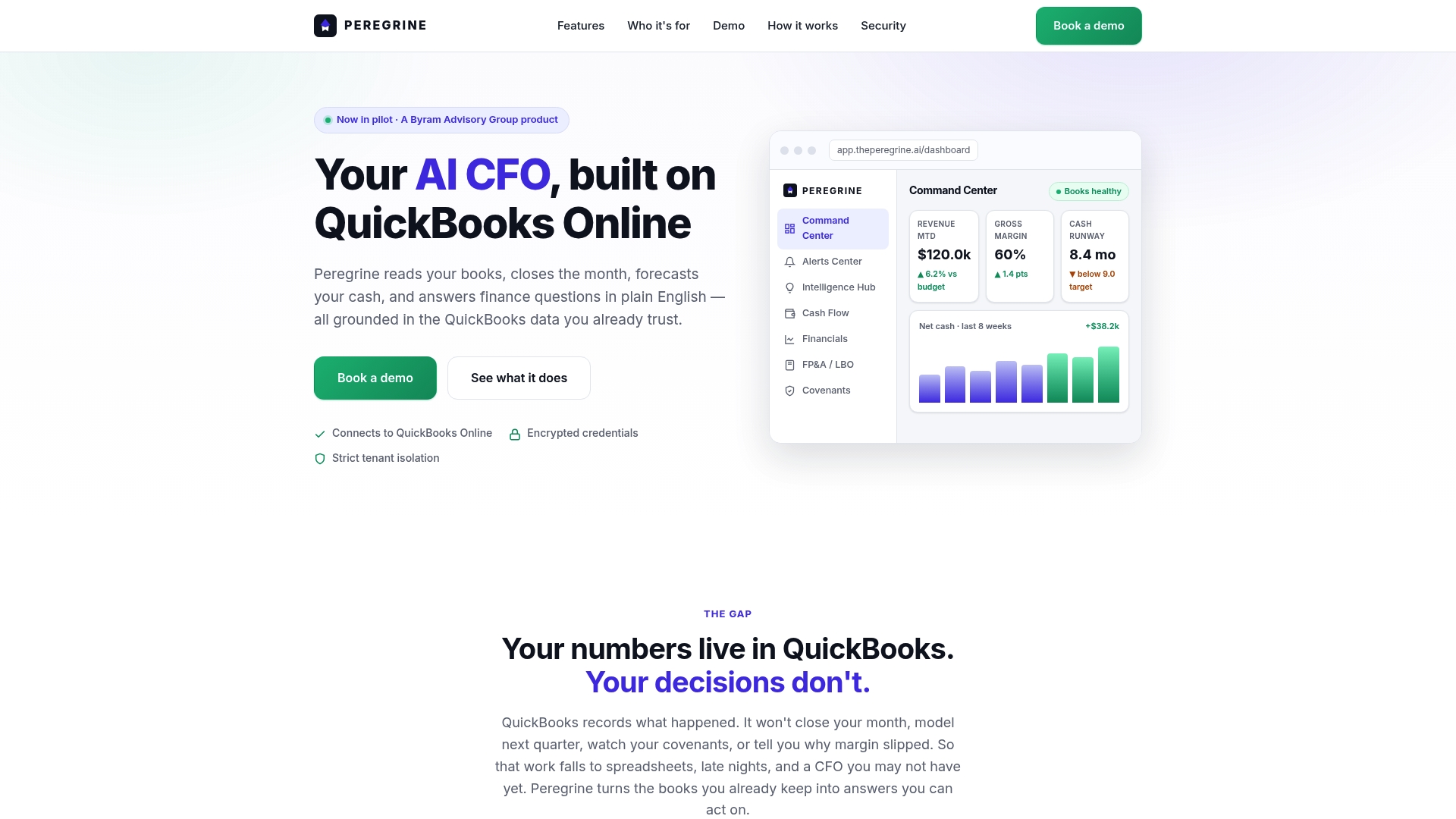
A free trial includes a live QuickBooks Online connection, sample forecasts built from your actual data, and one implementation session with the Peregrine team. No credit card required to start. For teams that want a guided walkthrough before committing, a demo is available on the same page.
Start your free trial and have your first forecast running before the end of the week.
Useful sources and further reading
- PCMag: Best Small Business Accounting Software 2026 — independent testing of features, usability, and AI capabilities across the major platforms; useful for benchmarking feature expectations.
- QuickBooks Official Site — vendor documentation on bank connections, forecasting, and AI query features; the authoritative source for integration specifications.
- NerdWallet: Best Accounting Software for Small Business 2026 — editorial pricing surveys and plan comparisons; useful for setting realistic budget ranges during procurement.
- Peregrine: Financial OS Complete Guide — explains the Financial OS concept and how integrating accounting data with forecasting tools changes decision speed.
- Peregrine: Best AI Accounting Software for Finance Teams — covers AI feature adoption patterns and what finance teams should evaluate during a trial.
- Posslo: Payment reporting for SMBs — practical context on payment reporting and dashboarding for small and medium businesses.